







































Attendance device ingest
Lets the workspace's biometric or RFID punch machines fill the attendance register by themselves: the first punch of the day checks an employee in, the last one checks them out.
| At a glance | |
|---|---|
| Type | Add-on module |
| Group | People |
| Price | ₹299 per month (list price) |
| Provides | Receive punches from attendance devices |
| Needs | Attendance & leave and HR core switched on. Pushes are refused while either is off. |
| Offered to | Every industry pack |
| Permission | Manage add-ons (addons.manage) to set it up; Manage HR to give employees their device codes |
What it does
Punch machines (or the bridge software that collects their punches) push each punch to a private workspace address. The platform matches the punch to an employee by their Attendance device code and marks the day:
- The first punch of the day checks the employee in and the day reads Present.
- The last punch checks them out. The first and last punch times are kept on the day.
- A person always wins over the machine. A day someone marked by hand as leave, half day or absent is never overwritten by a punch, even one replayed later. The machine only changes the rows it created.
Switching it on
- Go to Workspace → Modules, filter to Add-on modules. Attendance device ingest is under People.
- Open its ⋮ menu and choose Enable.
- Choose an Ingest token and press Enable.
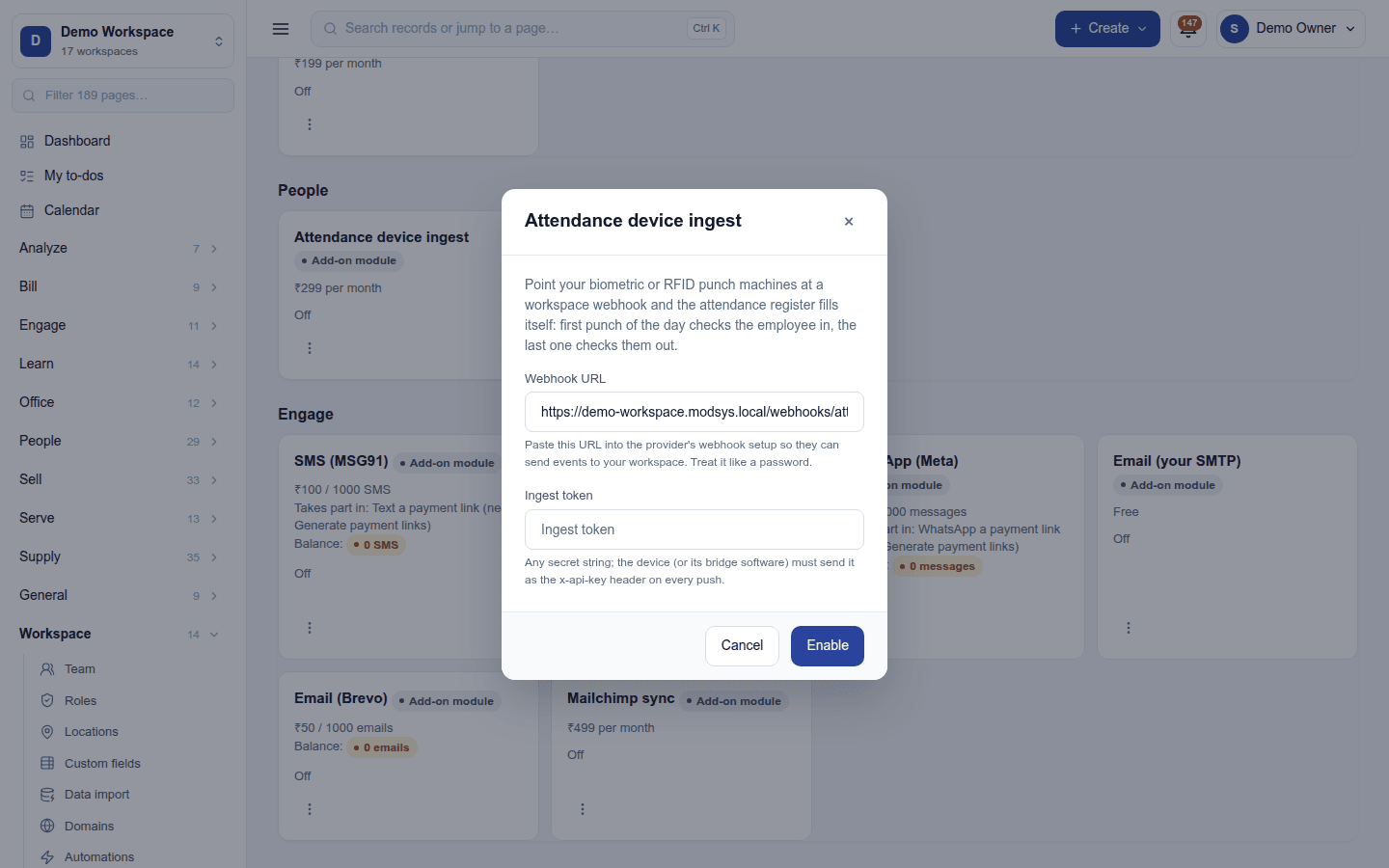
| Field | Required | What to enter |
|---|---|---|
| Webhook URL | (shown) | Read-only. Point the device or its bridge software at this address. Treat it like a password. |
| Ingest token | Yes | Any secret string. The device must send it as the x-api-key header on every push. A push without the right token is refused. |
Giving employees their codes
Each employee needs the code they are enrolled under on the machine. Open the employee under People → Employees, and enter it in Attendance device code.
A punch is skipped, never guessed, when its code belongs to nobody, the employee has left, or its time cannot be read or lies in the future.
Turning it off
Turn off on the ⋮ menu asks first. Pushes are refused from then on; days already filled stay. The token is kept, so switching back on needs no change on the device.
Not to be confused with Settings → POS → Devices, which pairs tills and counter screens for signing in.
Ready-made automations
| Name | Kind | What it does | Starts |
|---|---|---|---|
| Tell me when someone arrives more than 15 minutes late | Rule | Tells the workspace owner about a check-in more than 15 minutes after the scheduled start. | Off |
In the desktop and mobile apps
Not carried. Punches go from the machine to the server.