







































Mailchimp sync
Keeps a Mailchimp audience mirrored from the workspace's contacts: contacts who opted in flow in as subscribed the moment they are created or changed, opt-outs are suppressed there too, and a nightly sweep catches anything missed.
| At a glance | |
|---|---|
| Type | Add-on module |
| Group | Engage |
| Price | ₹499 per month (list price) |
| Provides | Sync contacts to a marketing audience |
| Needs | Nothing (a Mailchimp account and audience) |
| Offered to | Every industry pack |
| Permission | Manage add-ons (addons.manage) |
What it does
Mailchimp sync mirrors consent, it never invents it. Each contact carries a Marketing consent on its form (Opted in, Opted out, or nothing recorded), where it was given, and a Do not disturb switch. The moment of each choice is stamped by the server.
| The contact's consent | What happens in Mailchimp |
|---|---|
| Opted in | Added or updated as subscribed |
| Opted out | Suppressed (unsubscribed) there too |
| Nothing recorded | Never sent at all |
A contact is synced whenever it is created or edited, from any door: the Contacts screen, a frontdesk walk-in, a shop sign-up, an import. A nightly sweep re-syncs everyone, so an add-on switched on after years of contacts still catches up. Contacts with no email are skipped, because audiences are keyed by email.
Switching it on
- Go to Workspace → Modules, filter to Add-on modules. Mailchimp sync is under Engage.
- Open its ⋮ menu and choose Enable.
- Fill in the dialog and press Enable.
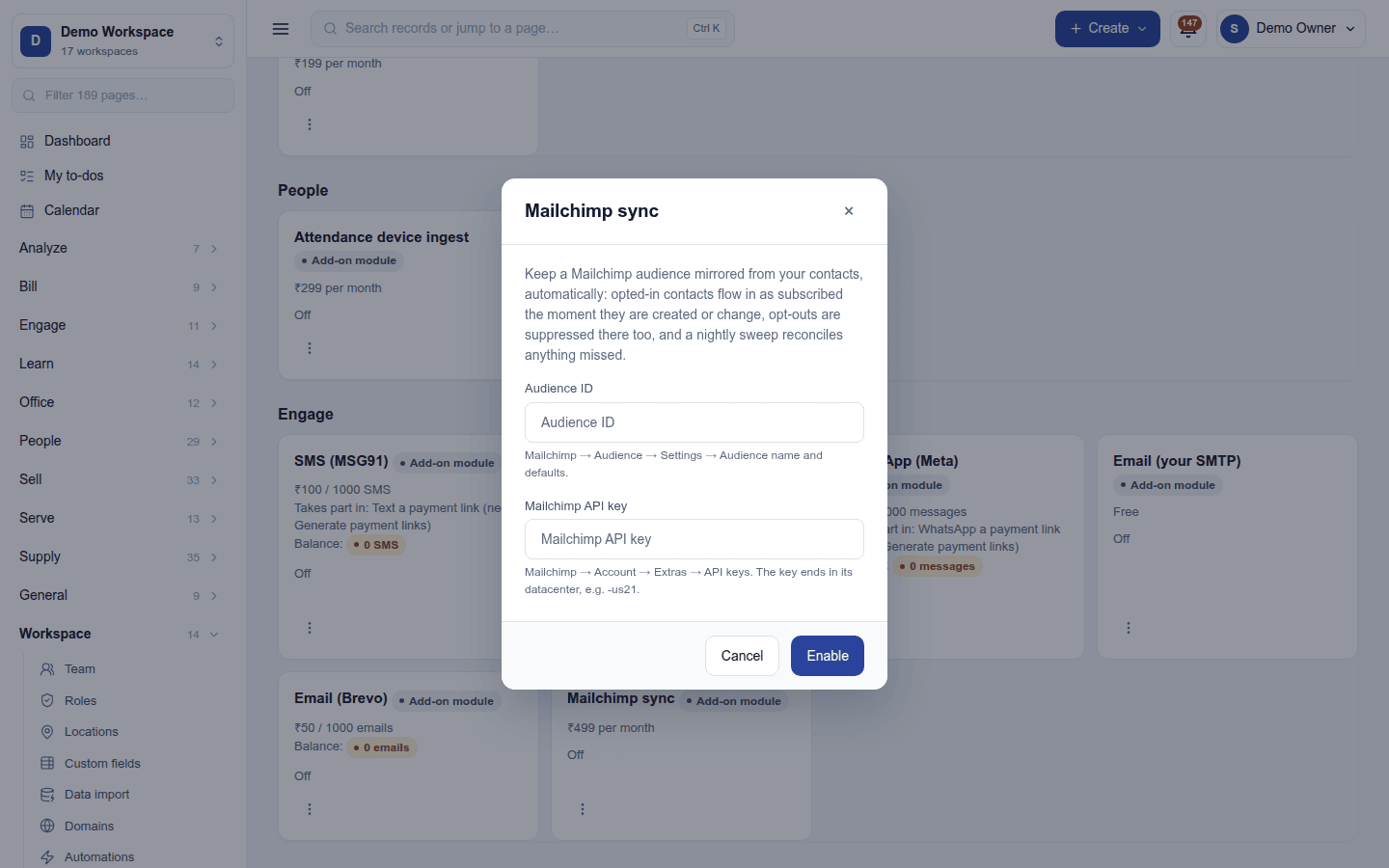
| Field | Required | What to enter |
|---|---|---|
| Audience ID | Yes | Mailchimp → Audience → Settings → Audience name and defaults. |
| Mailchimp API key | Yes | Mailchimp → Account → Extras → API keys. The key ends in its data centre, for example -us21. Write-only once saved. |
Turning it off
Turn off on the ⋮ menu asks first. Syncing stops; the audience in Mailchimp keeps what it has. The settings and key are kept.
Ready-made automations
None. Audiences sync on their own.
In the desktop and mobile apps
Nothing to set up. A contact the apps create is synced by the server like any other.