







































Loyalty & coupons
Gives customers points on what they buy and lets them spend those points at the till. The programme's rates, every customer's balance and every point earned or spent are on one screen.
| At a glance | |
|---|---|
| Type | Business module |
| Group | Engage |
| Needs | Nothing. Points are spent at the POS. |
| Included in | Shops & counters, E-commerce, Hotel / guest house, Salon & spa, Vet clinic & pet shop |
| Offered to | Every industry pack |
| Permissions | View loyalty (loyalty.view), Manage loyalty (loyalty.manage) |
Coupons are discount codes, kept under General → Discounts for every workspace; they are not part of this module.
What it does
- Earning: every order placed with a customer's name earns points on its total, at the workspace's rate, from any channel: the till, the online shop, a sales order.
- Spending: at the till, points settle part of the bill as a payment, the way a gift card would. The bill, its tax and the points the sale earns stay exactly as they are.
Switching it on
Workspace → Modules → Loyalty & coupons → Enable (needs Manage modules). Loyalty appears under Engage.
The Loyalty screen
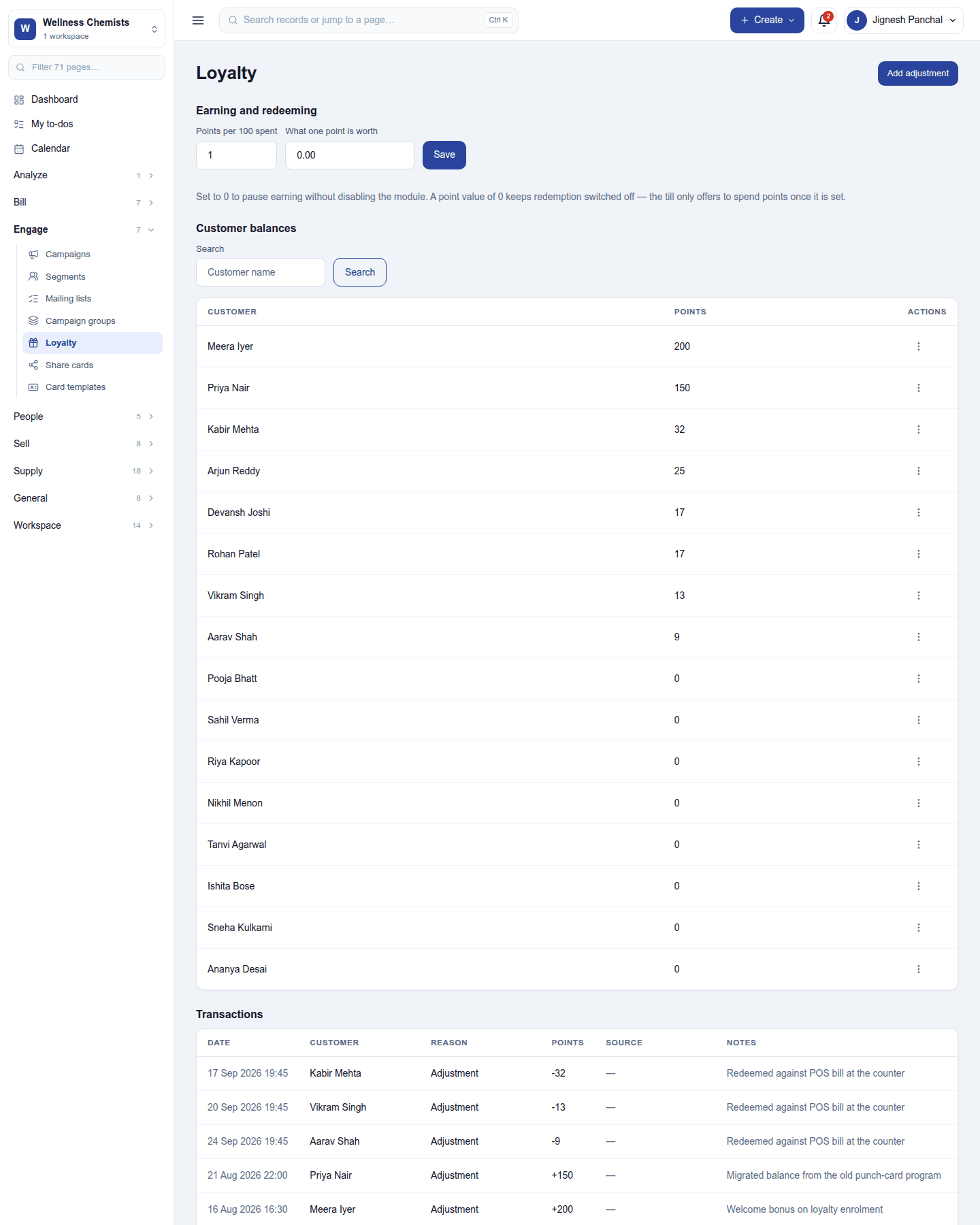
Earning and redeeming (needs Manage loyalty):
| Setting | What it does |
|---|---|
| Points per 100 spent | Points earned for each 100 of the workspace's currency an order totals. 0 pauses earning without switching the module off. |
| What one point is worth | The value of a point when it is spent, in the workspace's currency. 0 means points cannot be spent: the till never offers them. |
Customer balances lists each customer's points; search by name. View transactions on a row shows only that customer's points.
Transactions lists every movement: date, customer, reason (earned, spent or adjusted), points, the order it came from, and notes.
Add adjustment posts a manual change: pick the customer, enter the points (50 or -25) and a reason. Use it to move a balance in from an old punch-card programme or to correct a mistake.
Spending points at the till
With a point value set, the till's customer chip shows the customer's points (120 pts), and the payment panel offers points as a way to pay: Points to spend - up to N. The points are priced on the server against the customer's balance at that moment, so two tills can never spend the same points twice, and a sale replayed after the till was offline never spends them again.
Permissions
| Permission | Allows |
|---|---|
View loyalty (loyalty.view) |
See the programme, balances and transactions. |
Manage loyalty (loyalty.manage) |
Set the rates and post adjustments. |
Ready-made automations
None. Points and coupons apply at checkout; nothing waits on a person.
Turning it off
The screen leaves the menu, orders stop earning points and the till stops offering them. Balances and transactions are kept.
In the desktop and mobile apps
The restaurant desktop app carries points with the till: each customer synced to the till brings their points, and offline the till says Points are as this till last synced. The Captain phone app does not take payment.
Related guides
- POS, Discounts, Contacts
- Module guides index