







































Rental
Hires items out by the day, week or month: the rental items and how many of each are free, bookings and reservations, handing items over and taking them back (in part or in full), deposits, late returns and the rental bill.
| At a glance | |
|---|---|
| Type | Business module |
| Group | Sell |
| Needs | Nothing. Each rental is billed with an ordinary invoice. |
| Included in | Rental & hire, Hotel / guest house and others |
| Offered to | Rental & hire, Event & wedding planner, Hotel / guest house, Shops & counters, E-commerce, Caterer, Contractors, Wholesale, Farmer producer organisation, Association & club, Housing society & RWA, Travel agency |
| Permissions | View rentals (rental.view), Manage rentals (rental.manage) |
Switching it on
Workspace → Modules → Rental → Enable (needs Manage modules). Rental and Rental schedule appear under Sell, and Settings gains a Rental page.
Rental items and rentals
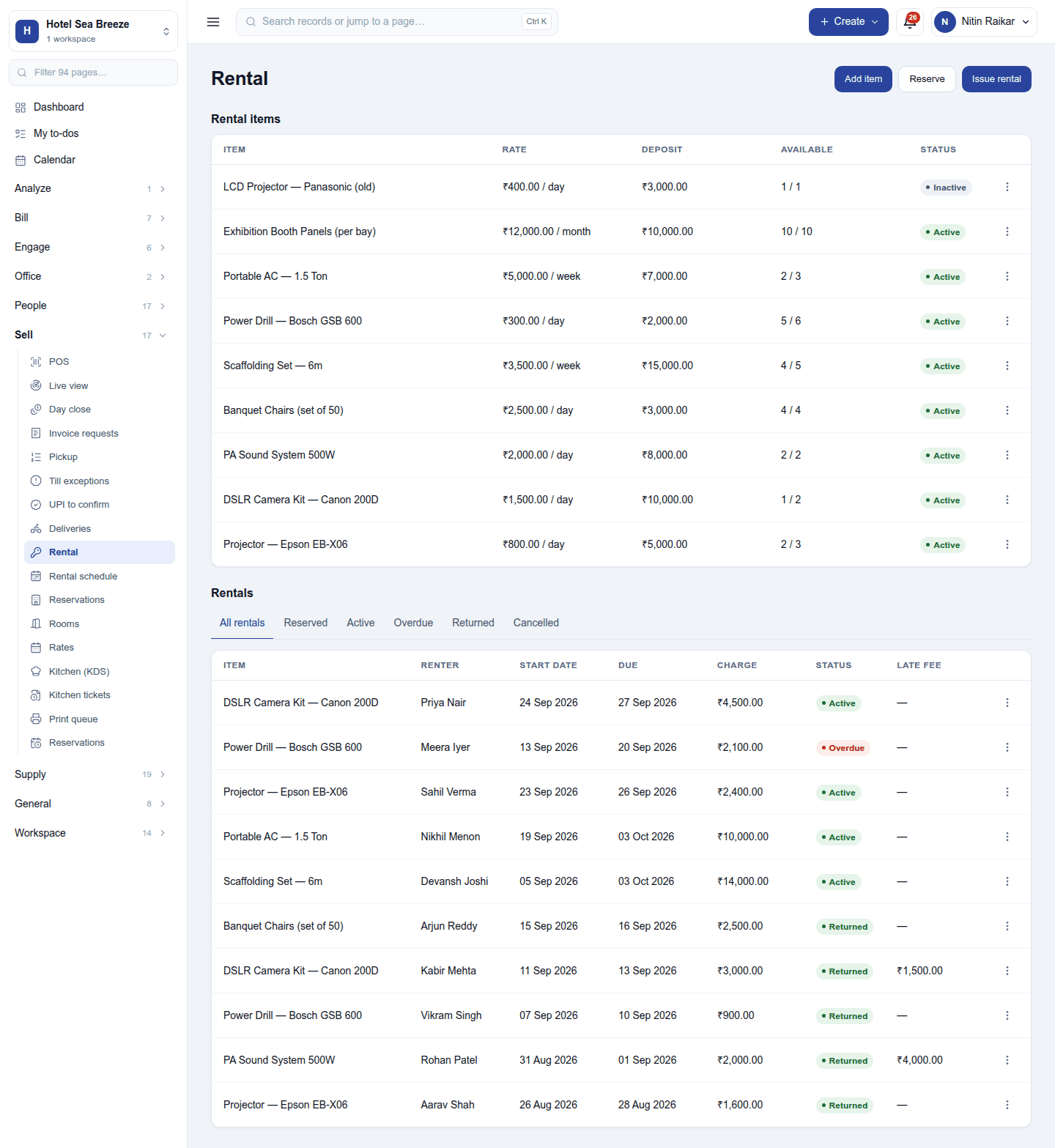
Sell → Rental has two lists.
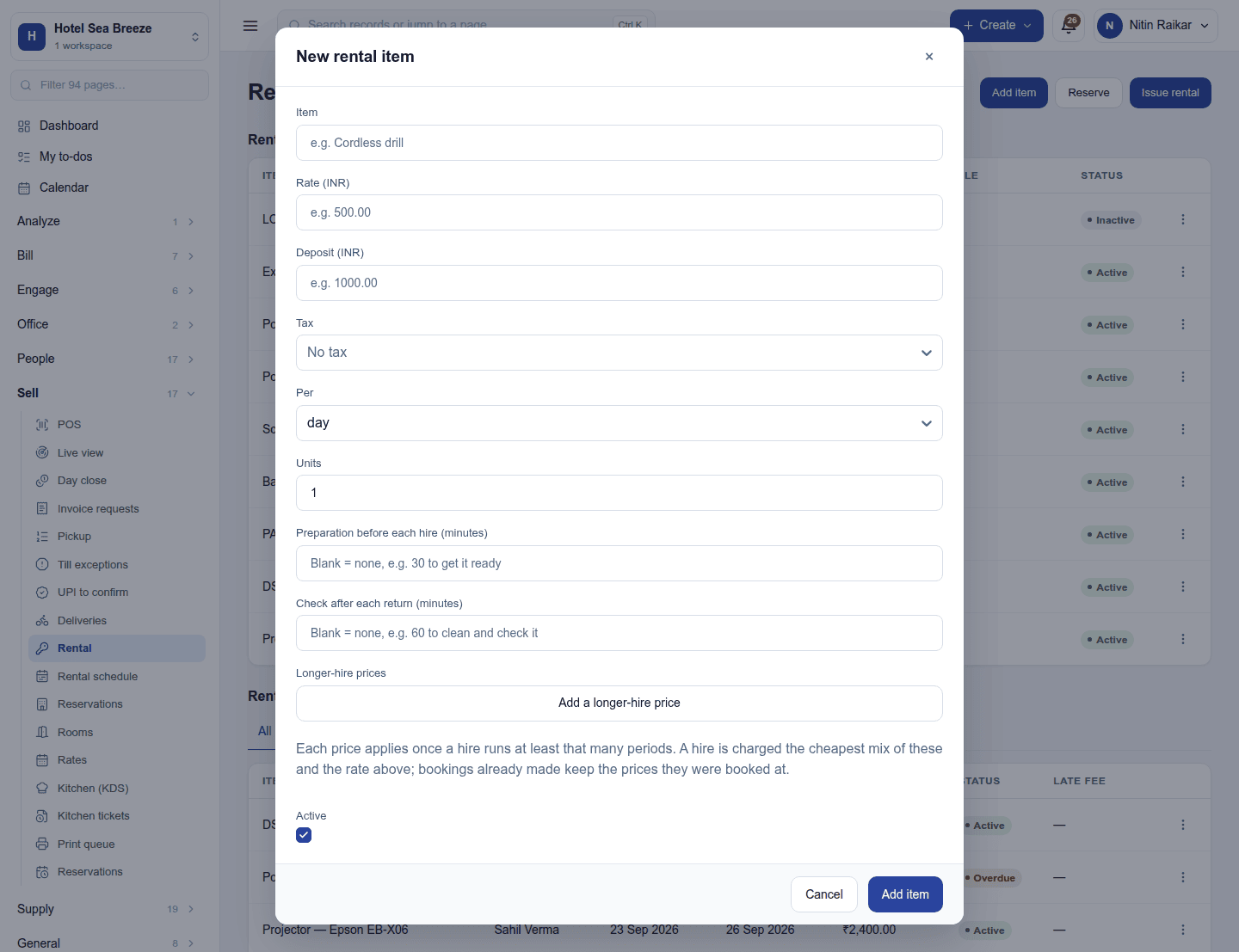
Rental items are what is hired out: each with its rate (per day, week or month, with cheaper longer-hire tiers), deposit, how many are available of how many there are, and status. Add item adds one:
Rentals are the bookings: item, renter, start and due dates, charges, status and any late fee. The tabs filter All rentals / Reserved / Active / Overdue / Returned / Cancelled. New rental books one or several items for a customer; Reserve holds them for future dates without handing anything over.
Handing over and taking back
A rental's ⋮ menu takes it through its life (a reservation can also be Edited or Cancel reservation):
- Pick up: the items go out and the deposit is taken. Print pick-up receipt prints the handover slip.
- Extend the due date while it is out.
- Return: all the items, or some of them (a partial return). A late return adds its late fee; a turnaround time keeps an item unavailable for cleaning or checks before it can go out again. Print return receipt prints the slip.
- Invoice is offered once every unit is back: one line per item at its per-unit charge, and a late-fee line for each item that earned one.
Overdue rentals are flagged, and the people who handed them out are told.
The schedule
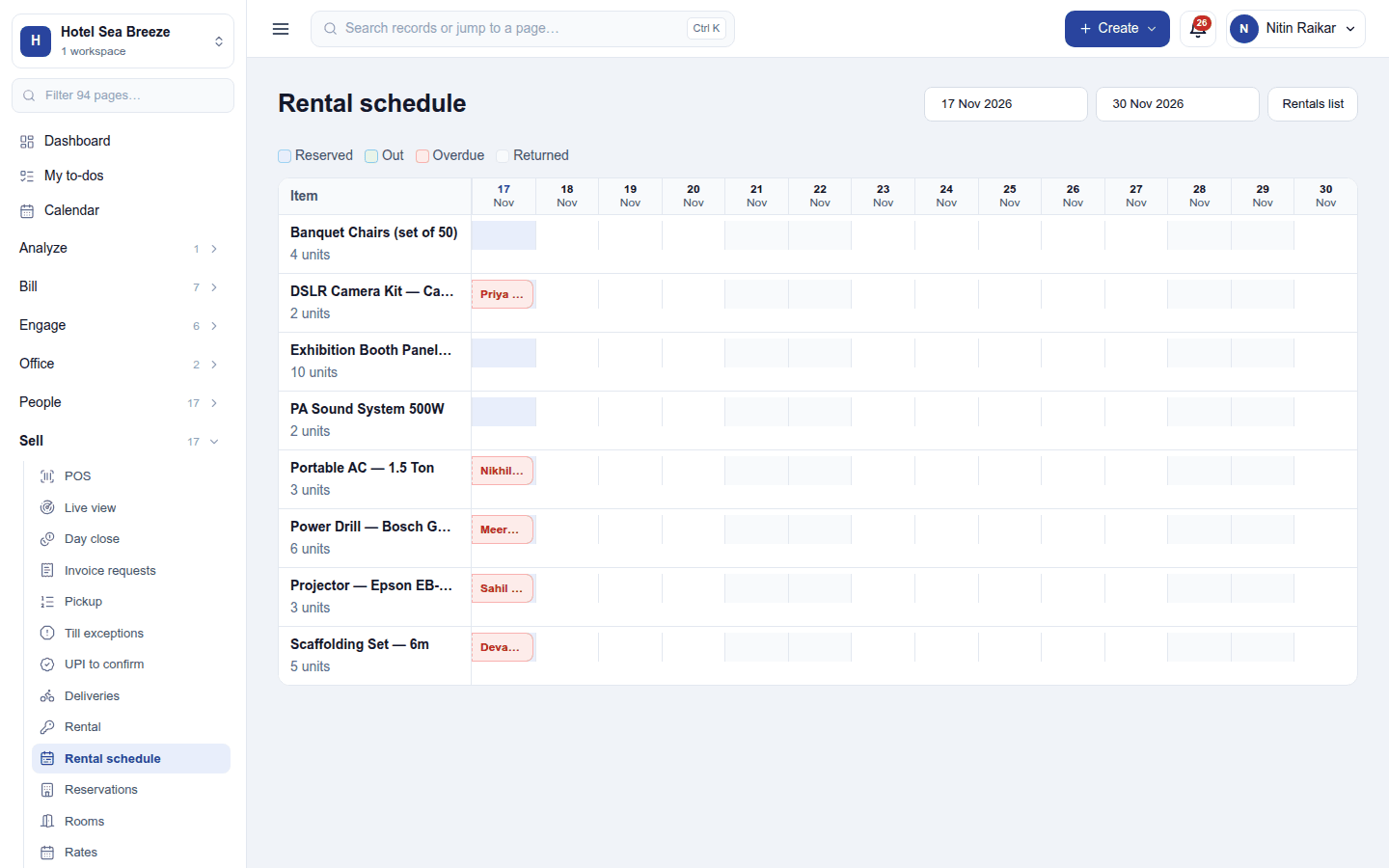
Sell → Rental schedule shows each item day by day for the dates chosen: Reserved, Out, Overdue and Returned, so a free slot is easy to see.
Settings
Settings → Rental → Hire desk: the weekdays the hire desk is closed. Nothing can be picked up or returned on those days.
Reports
Reports → Rental utilisation shows how much of the time each item was out.
Permissions
| Permission | Allows |
|---|---|
View rentals (rental.view) |
See rental items, bookings, the schedule and returns. |
Manage rentals (rental.manage) |
Keep rental items, book and reserve rentals, hand items over and take them back. |
Ready-made automations
| Name | Kind | What it does | Starts |
|---|---|---|---|
| Remind the customer a rental is due back tomorrow | Rule | The day before a rental is due back, emails the customer. | On |
| Tell me when a rental is overdue | Rule | Tells the person who handed it out, and the workspace owner, when a rental goes overdue. | On |
Turning it off
The rental screens leave the menu and the reminders stop. Items, rentals and invoices are kept.
In the desktop and mobile apps
Not carried.