







































Payment links
Turns any invoice into a pay-now link that can be texted or sent on WhatsApp. The link uses the workspace's own payment gateway, so the money settles exactly where invoice payments already do.
| At a glance | |
|---|---|
| Type | Add-on module |
| Group | Bill |
| Price | ₹299 per month (list price) |
| Provides | Generate payment links |
| Needs | A payment gateway switched on under Settings → Payments (Razorpay or Stripe), and an SMS or WhatsApp add-on module to send the link |
| Offered to | Every industry pack |
| Permission | Manage add-ons (addons.manage) |
What it does
Payment links gives the workspace the Generate payment links capability. On its own it sends nothing: it is the half of a feature whose other half is a way to reach the customer. That is why its card says what it takes part in, and what each part still needs:
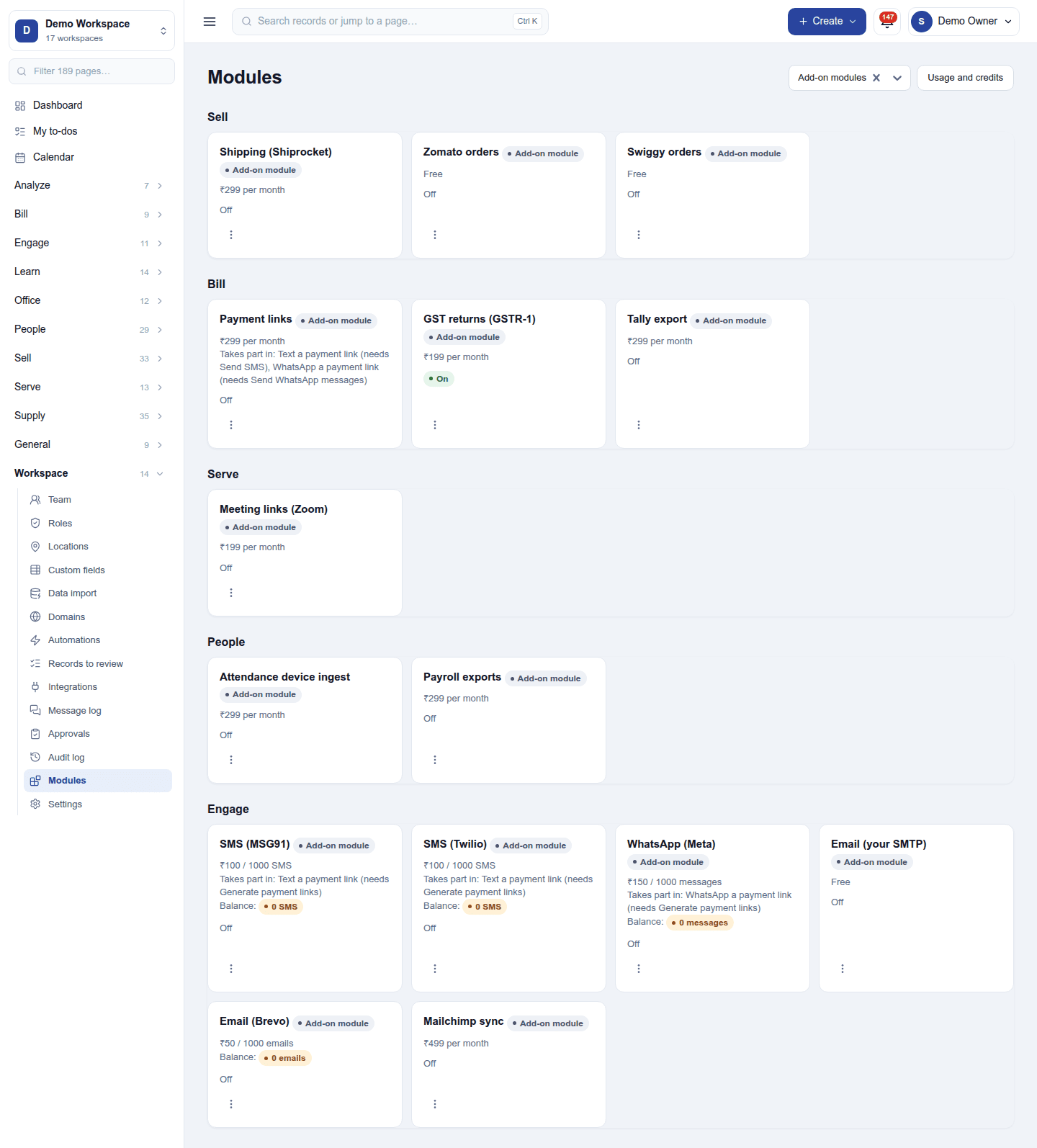
| Feature | Needs as well |
|---|---|
| Text a payment link | An SMS add-on module (MSG91 or Twilio) |
| WhatsApp a payment link | WhatsApp (Meta) |
A feature appears only once every capability it needs is on, and disappears again if one is turned off. Nothing half-works.
The link is the invoice's own pay page. With Razorpay or Stripe, the customer opens the invoice's pay page, and Pay now there opens the gateway's checkout for whatever is still owed at that moment. The link never expires, and a part-payment made elsewhere is already taken off when the customer opens it. With no gateway switched on, a send is refused and the reason shows in the automation's run log.
Switching it on
- Go to Workspace → Modules, filter to Add-on modules. Payment links is under Bill.
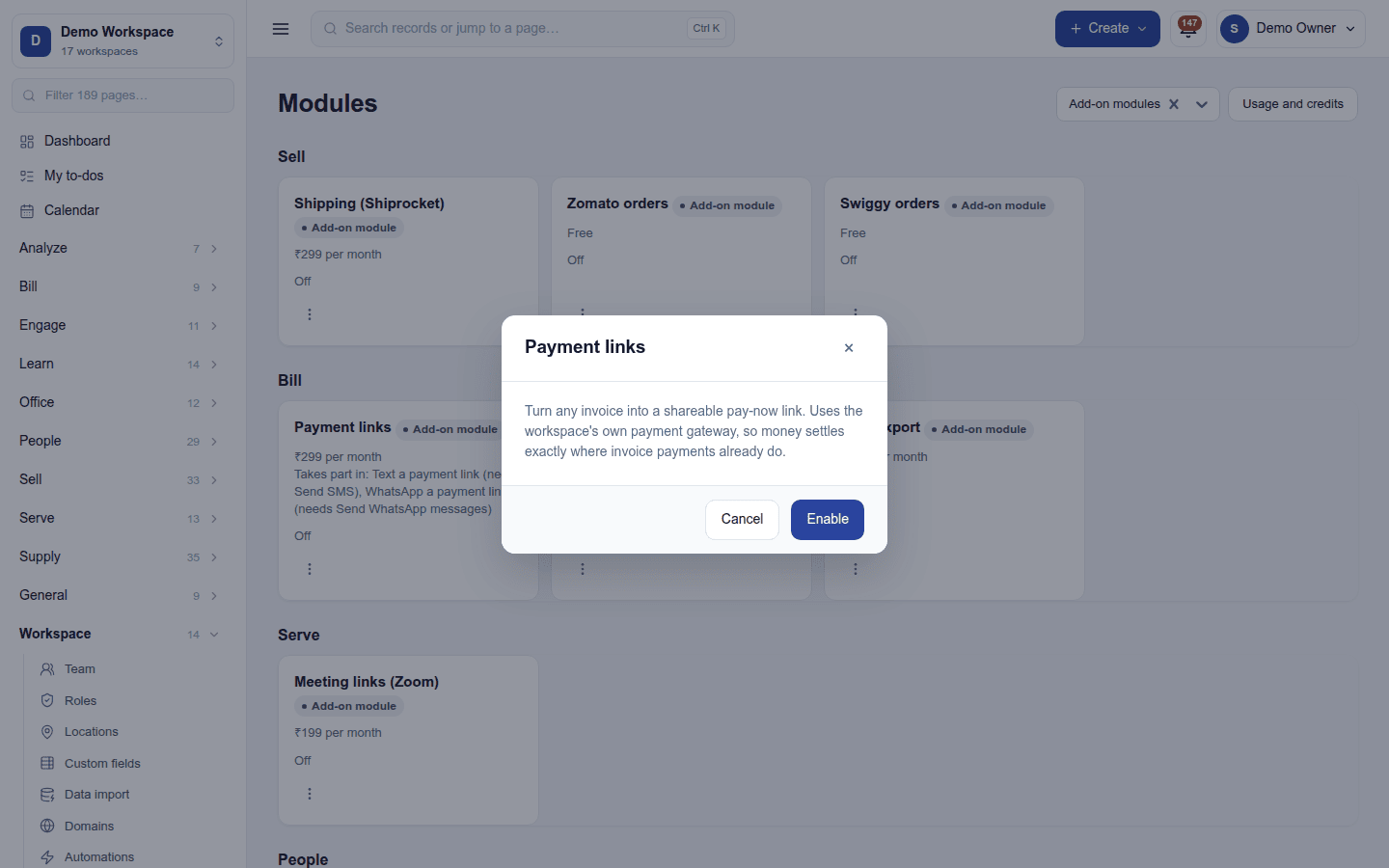
- Open its ⋮ menu and choose Enable.
- The dialog has nothing to fill in, because the link rides the gateway already set up. Press Enable.
Sending a link
- From an invoice: the ready-made action Text a payment link sits on the invoice's menu once SMS is also on. It texts the customer a link to pay this invoice.
- In an automation: the actions Text a payment link and WhatsApp a payment link send the link of the invoice the rule is about, for example when an invoice is issued or a week after it falls due.
The payment is recorded against the invoice when the gateway confirms it, exactly as a payment made from the emailed invoice.
Turning it off
Turn off on the ⋮ menu asks first. The two actions disappear, and an automation that uses one refuses rather than doing nothing. Links already sent keep working, because they are the invoice's own pay page.
Ready-made automations
| Name | Kind | What it does | Starts |
|---|---|---|---|
| Text a payment link | Action (on an invoice) | Texts the customer a link to pay this invoice online. Needs an SMS add-on module. | On |
In the desktop and mobile apps
Not carried. The apps take payment at the counter; links are sent from the web app.