







































Payroll exports
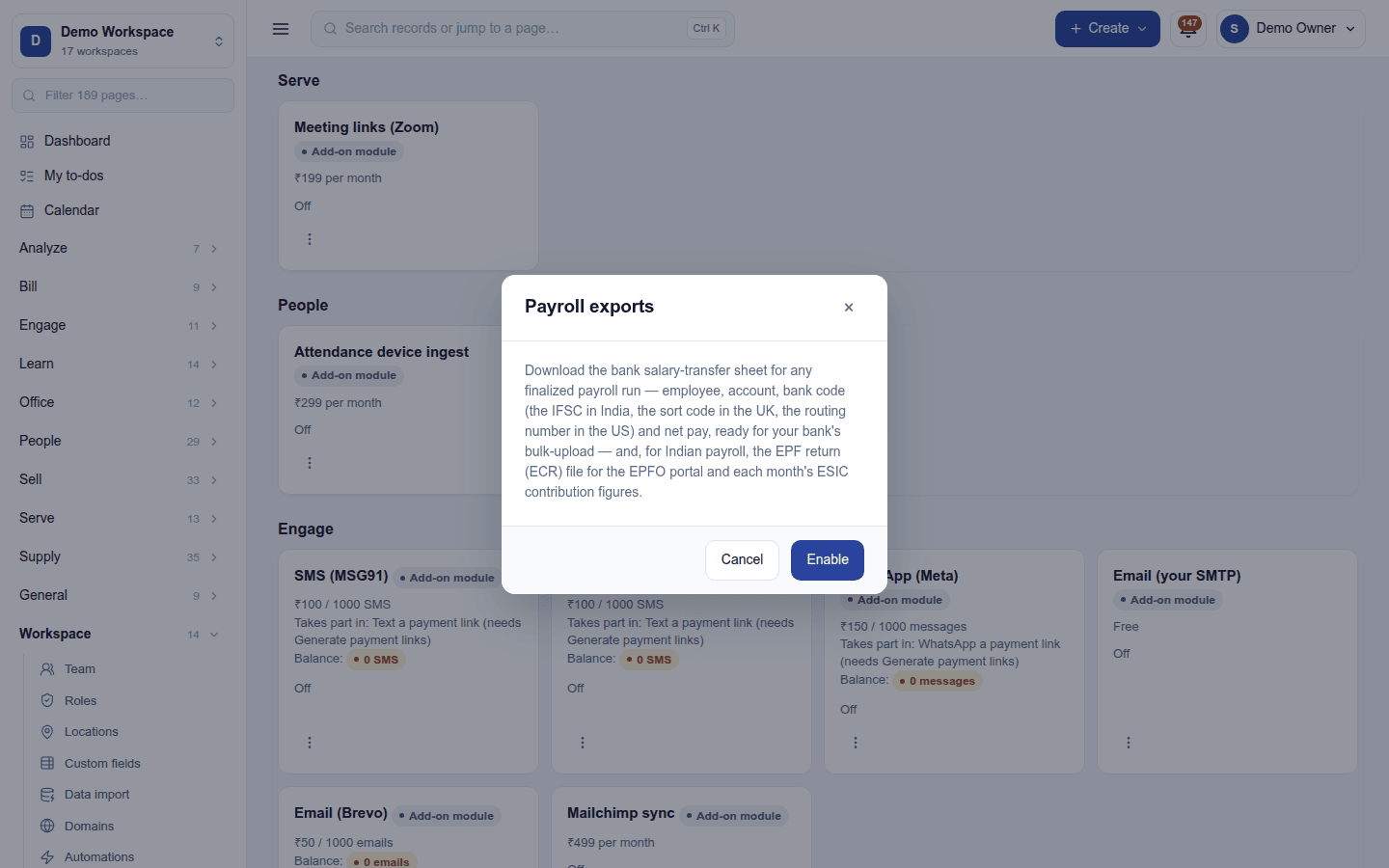
Downloads the salary bank transfer file for any finalised payroll run, ready for the bank's bulk upload, and, for Indian payroll, the EPF return (ECR) file and each month's ESIC contribution figures.
| At a glance | |
|---|---|
| Type | Add-on module |
| Group | People |
| Price | ₹299 per month (list price) |
| Provides | Export payroll statutory files |
| Needs | Payroll, where the runs are |
| Offered to | Every industry pack |
| Permission | Manage add-ons (addons.manage) to switch on; View payroll to download |
What it does
Payroll exports is a pure unlock: no keys, no outside service. Switching it on adds buttons under the payslips of a finalised or paid payroll run:
| Button | What you get | When it shows |
|---|---|---|
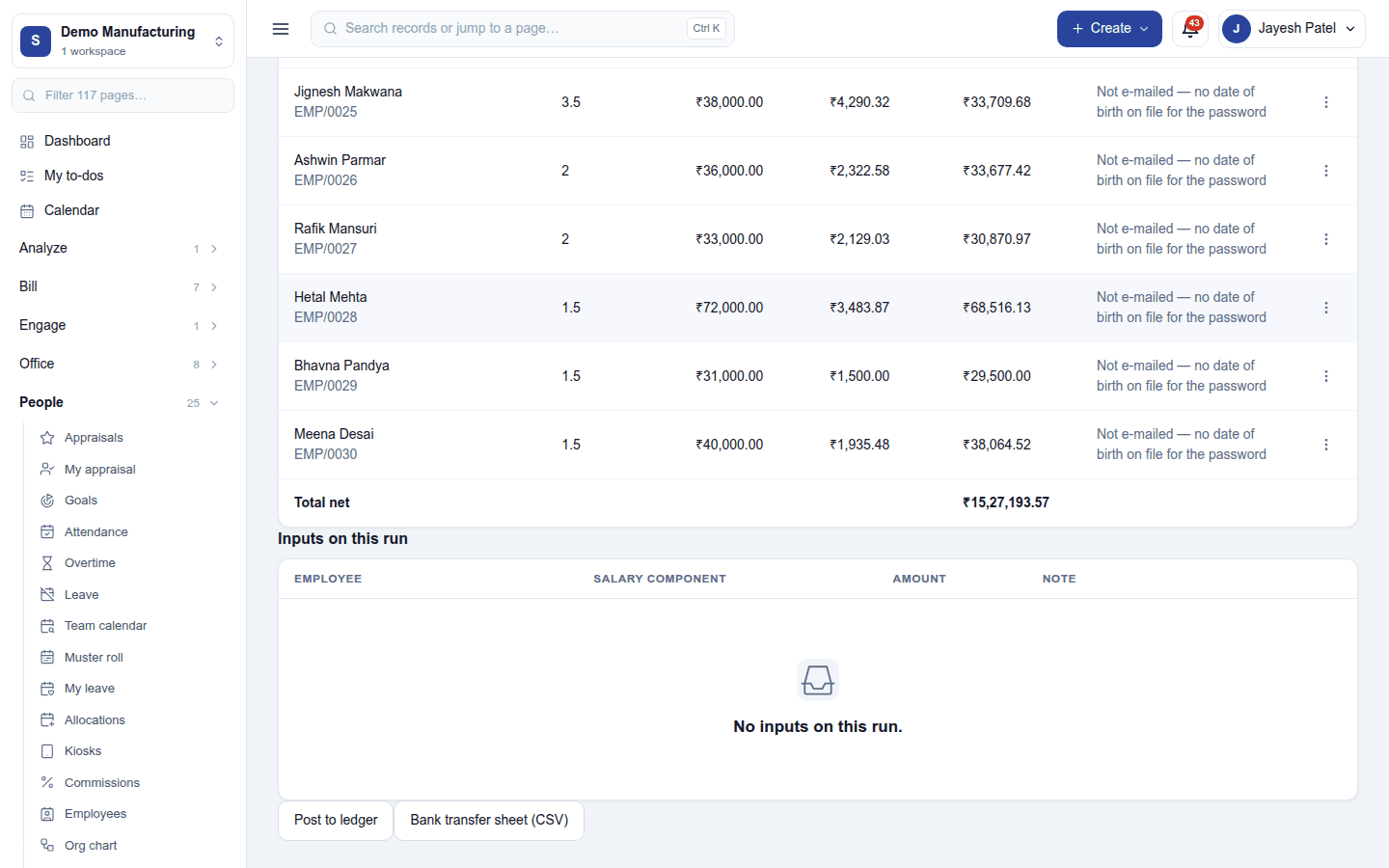
| Bank transfer sheet (CSV) | The salary bank file, in the format chosen under Settings → Payroll → Salary bank file | Every finalised or paid run |
| EPF return (ECR) | The text file for the EPFO portal | India only, on the month's regular run, when the run deducted EPF |
| ESIC contribution | The month's ESIC figures (no file: ESIC's upload is an Excel 97–2003 workbook the platform cannot make) | India only, on the month's regular run, when the run deducted ESIC |
The server checks each condition again when a button is pressed. EPF and ESIC downloads are audited.
The salary bank file
Settings → Payroll → Salary bank file chooses the format. Only the formats the workspace's country and currency can use are offered:
| Format | Offered to | What it is |
|---|---|---|
| Salary bank sheet (CSV) | Every workspace (the default) | One row per person: name, account number, bank code, net pay. India's sheet is the NEFT bulk-upload shape (Employee Name, Bank Account Number, IFSC, Net Pay (INR)); elsewhere the bank-code column is headed in the country's own words (Sort code, ABA routing number, BSB …). |
| Nacha ACH file (PPD) | United States, paying in USD | The US ACH format |
| SEPA credit transfer (pain.001.001.09) | An IBAN country keeping its books in euro | The ISO 20022 XML file euro-area banks take |
| CPA Standard 005 AFT file | Canada, paying in CAD or USD | The Canadian AFT format |
| ABA direct entry file | Australia, paying in AUD | The BECS "ABA" file |
Who is in the file: everyone on the run with an account number and a bank code on file, and something to be paid. People without bank details are left out, and the run's Before you finalize panel names them.
Switching it on
- Go to Workspace → Modules, filter to Add-on modules. Payroll exports is under People.
- Open its ⋮ menu and choose Enable. The dialog only describes what it does; press Enable.
Downloading
Open People → Payroll, open a finalised or paid run, and press the button under its payslips.
Turning it off
Turn off on the ⋮ menu asks first. The buttons disappear from the runs. Nothing is lost: files are built on demand from the runs.
Ready-made automations
None. An export is made on demand.
In the desktop and mobile apps
Not carried.