







































Invoicing
The screens for the workspace's invoices: raising one by hand or from orders, sending and printing it, taking payment against it, crediting or debiting it, chasing it when it is overdue, and the customer's statement.
| At a glance | |
|---|---|
| Type | Business module |
| Group | Bill |
| Needs | Nothing |
| Included in | Every pack that sells |
| Offered to | Every industry pack |
| Permissions | Core: View invoices (invoices.view), Manage invoices (invoices.manage), Record payments (payments.record) |
What the module is, and is not
Invoices themselves are Core: the till, the online shop, fees, transport, contracts and donations all raise invoices whether or not this module is on. Invoicing switches on the screens over them (the invoice list, credit and debit notes, statements, the TDS register) and the overdue reminders. That is why its permissions are the Core invoice permissions.
Switching it on
Workspace → Modules → Invoicing → Enable (needs Manage modules). Invoicing, Credit notes and Debit notes appear under Bill, and Settings gains an Invoicing page.
Invoices
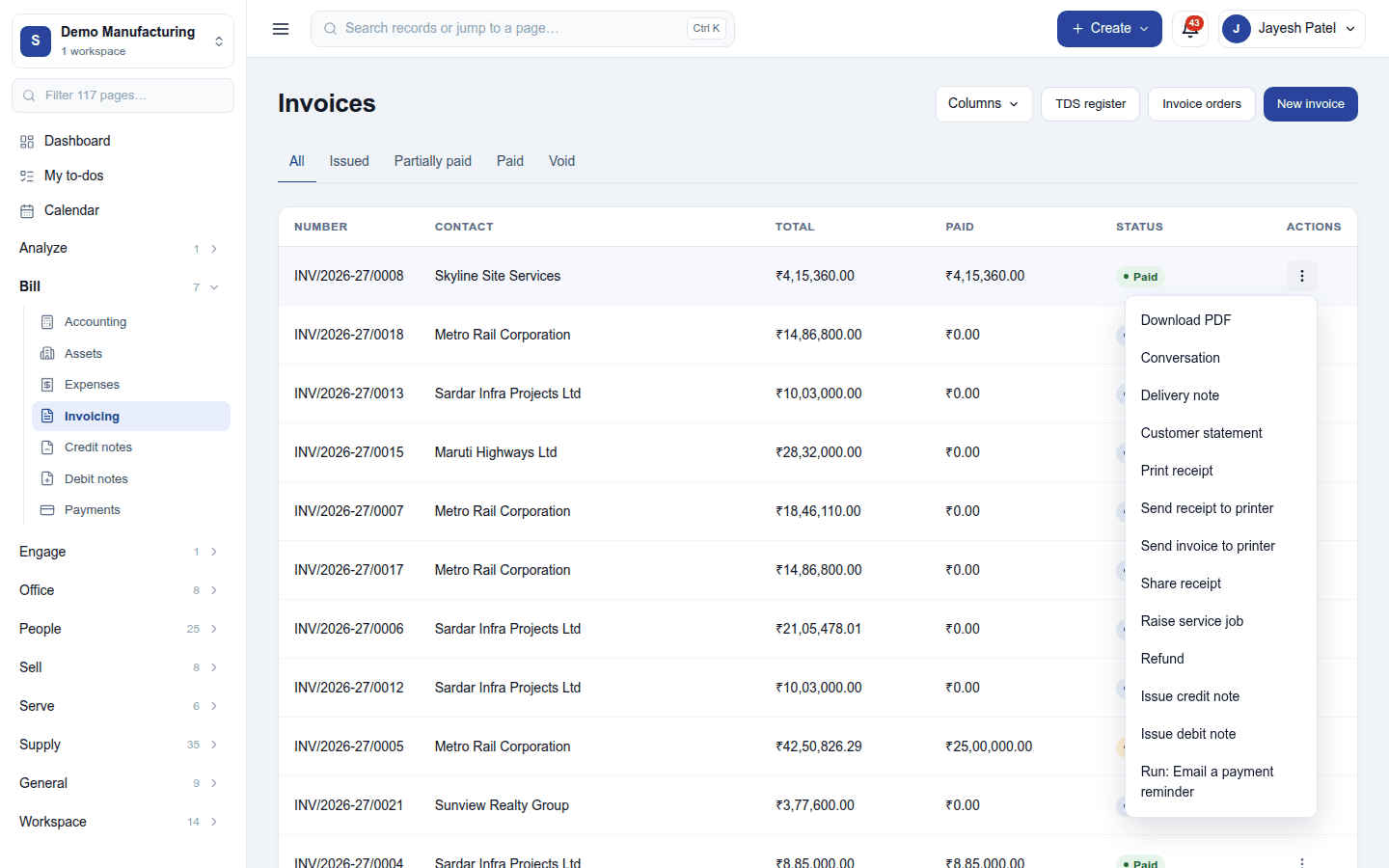
Bill → Invoicing lists every invoice with its number (from the workspace's series, for example INV/2026-27/0008), customer, total, what has been paid and status. The tabs filter All / Issued / Partially paid / Paid / Void. The header has Columns (choose what the list shows), TDS register, Invoice orders and New invoice; with GST returns or Tally export on, an Exports button too.
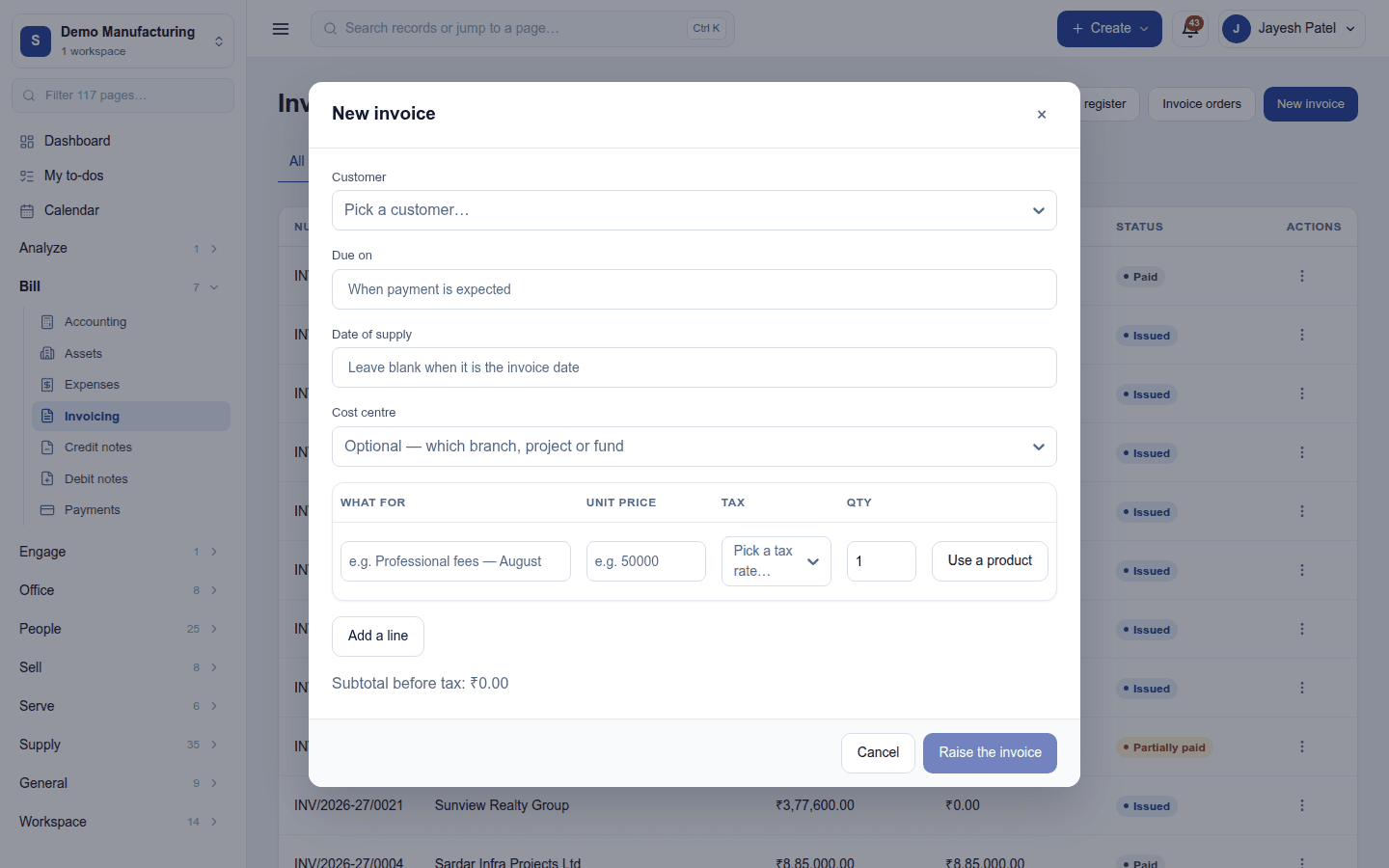
- New invoice raises an invoice by hand, for something not on any order: the customer, Due on, Date of supply (blank means the invoice date), cost centre, and lines (what for, unit price, tax, quantity, or Use a product from the catalogue). Raise the invoice issues it.
- Invoice orders raises invoices from delivered or confirmed sales orders.
An invoice's ⋮ menu, depending on its state:
| Action | What it does |
|---|---|
| Download PDF | The invoice in the workspace's document template and layout. |
| Record payment | Money received against it (an unpaid or part-paid invoice). |
| Collect online | Opens the invoice's own pay page on the workspace's gateway (Razorpay or Stripe). |
| Apply advance | Sets a deposit the customer paid earlier against this invoice. |
| Record TDS | Tax the customer deducted before paying. |
| Export details | The port code and shipping bill of an export invoice. |
| E-invoice | The GST e-invoice (IRN) of an Indian invoice, where e-invoicing is set up. |
| Conversation | Its emails and notes; send it by email from here. |
| Delivery note | The delivery note for the goods. |
| Customer statement | Everything the customer owes and has paid. |
| Print receipt, Gift receipt, Share receipt, Send … to printer | The payment receipt (a gift receipt has no prices), and printing through the workspace's print queue. |
| Raise service job | A work order for the goods sold (with Work orders). |
| Issue credit note, Issue debit note | Reduce or add to what is owed. |
| Refund | Pay money back to the customer. |
| Void | Cancel an invoice nothing has been paid on. |
| Run: … | A ready-made or custom action, such as Email a payment reminder. |
A paid invoice's PDF reads Paid; one with credit notes shows Credited and the Balance due or Credit due.
Credit notes and debit notes
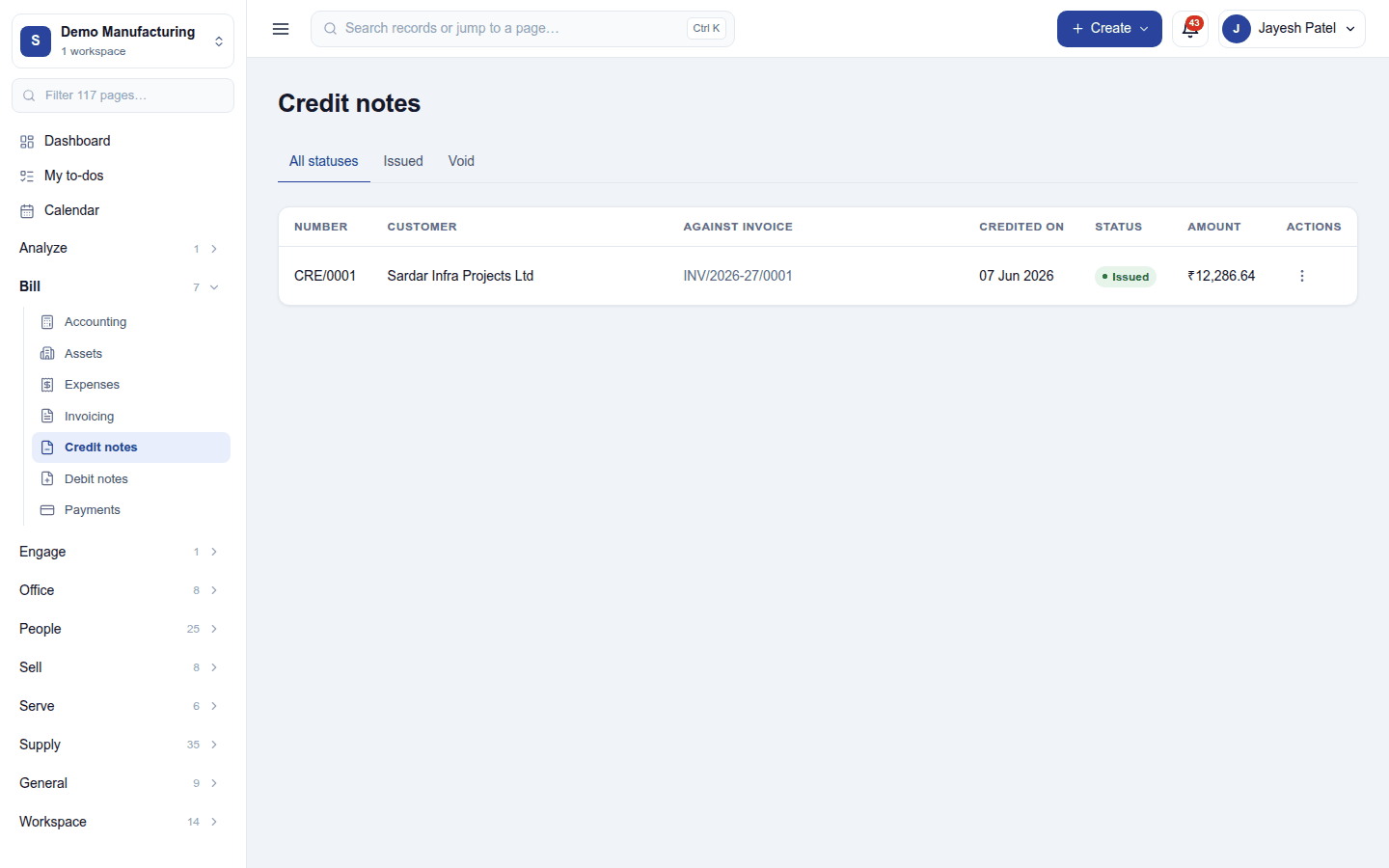
Credit notes (CRE/…) and Debit notes list every note with its customer, the invoice it is against, the date and amount, filtered All statuses / Issued / Void. A credit note into a period whose return is filed is refused; one past the legal time limit is warned about and kept out of the returns.
Overdue reminders and the return window
Settings → Invoicing:
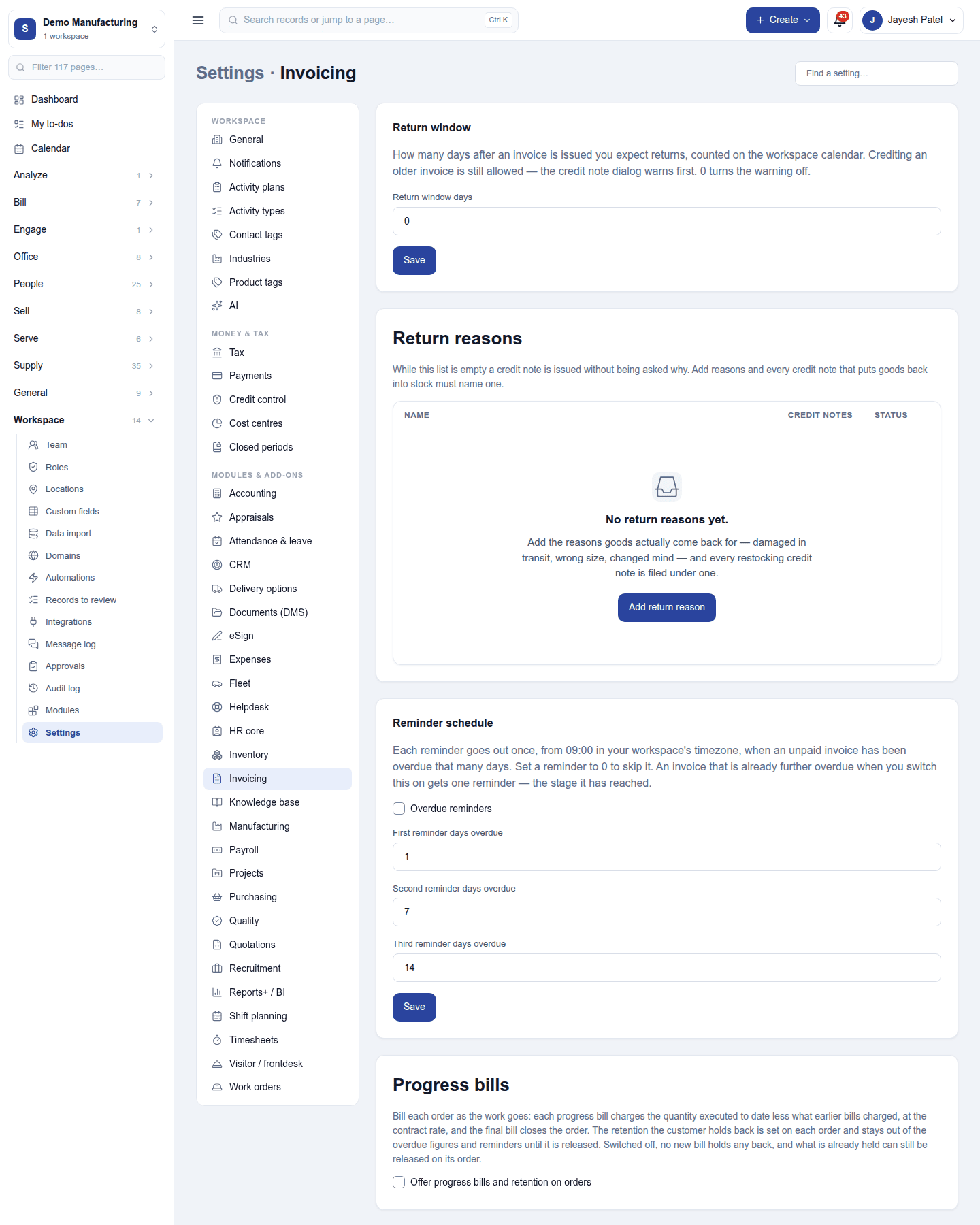
| Card | Setting | Default | What it does |
|---|---|---|---|
| Return window | Return window days | 0 (off) | How many days after an invoice you expect returns. Crediting an older invoice still works, but the credit note dialog warns first. |
| Return reasons | (a list) | none | Why goods come back (damaged, wrong size …). A reason can put returned goods back into stock. |
| Reminder schedule | Overdue reminders | Off | Emails customers when an invoice is overdue. |
| First / second / third reminder, days overdue | 1 / 7 / 14 | When each reminder goes. Each goes once, from 09:00 on the workspace's clock; set a stage to 0 to skip it. | |
| Progress bills | Offer progress bills and retention on orders | Off | Running-account bills on large orders, with retention held back and released later. |
A customer can be left out of reminders from their contact. Fee invoices are chased by Fees instead while it is on.
Statements and the TDS register
- Customer statement (an invoice's menu, or
/app/invoicing/statements/<customer>): every invoice, payment and credit note for one customer, with the running balance, printable. - TDS register (needs Record payments): TDS customers deducted from what they paid, for matching against Form 26AS.
Permissions
| Permission | Allows |
|---|---|
View invoices (invoices.view) |
See invoices, credit and debit notes, statements, and download exports. |
Manage invoices (invoices.manage) |
Raise, void and credit invoices. |
Record payments (payments.record) |
Record money received, refunds and TDS, and print receipts. |
Ready-made automations
| Name | Kind | What it does | Starts |
|---|---|---|---|
| Call about an overdue invoice | Rule | A week after an invoice falls due unpaid, tells the workspace owner to call. Reminder emails go out on their own. | On |
| Email a payment reminder | Action (on an invoice) | Sends the customer a short, friendly reminder about this invoice. | On |
Turning it off
The invoice screens leave the menu and overdue reminders stop. Invoices keep being raised by the till, the shop and the other modules, and stay on the books.
In the desktop and mobile apps
The restaurant desktop app issues bills and prints receipts at the till, offline included, through its own billing screen; the invoice list itself is not in the app. The Captain app does not invoice.