







































Inventory
Keeps stock: how much of each product is where, every movement in and out, batches and expiry dates, wastage, stock counts, the store's issues and transfers, recipe costs and raw-material levels.
| At a glance | |
|---|---|
| Type | Business module |
| Group | Supply |
| Needs | Nothing |
| Needed by | Purchasing, Manufacturing, Quality |
| Included in | Every pack that holds stock |
| Offered to | Every industry pack |
| Permissions | View inventory (inventory.view), Manage inventory (inventory.manage) |
What it does
Stock is held per product (and variant) per location: a warehouse, a store room, a shop, a van. Every change is a movement: a sale, a receipt, a transfer, an adjustment, a count, wastage, production. Sales take stock from the sales location; deliveries from suppliers put it into the receiving one.
Switching it on
Workspace → Modules → Inventory → Enable (needs Manage modules). The stock screens appear under Supply, and Settings gains an Inventory page.
Stock
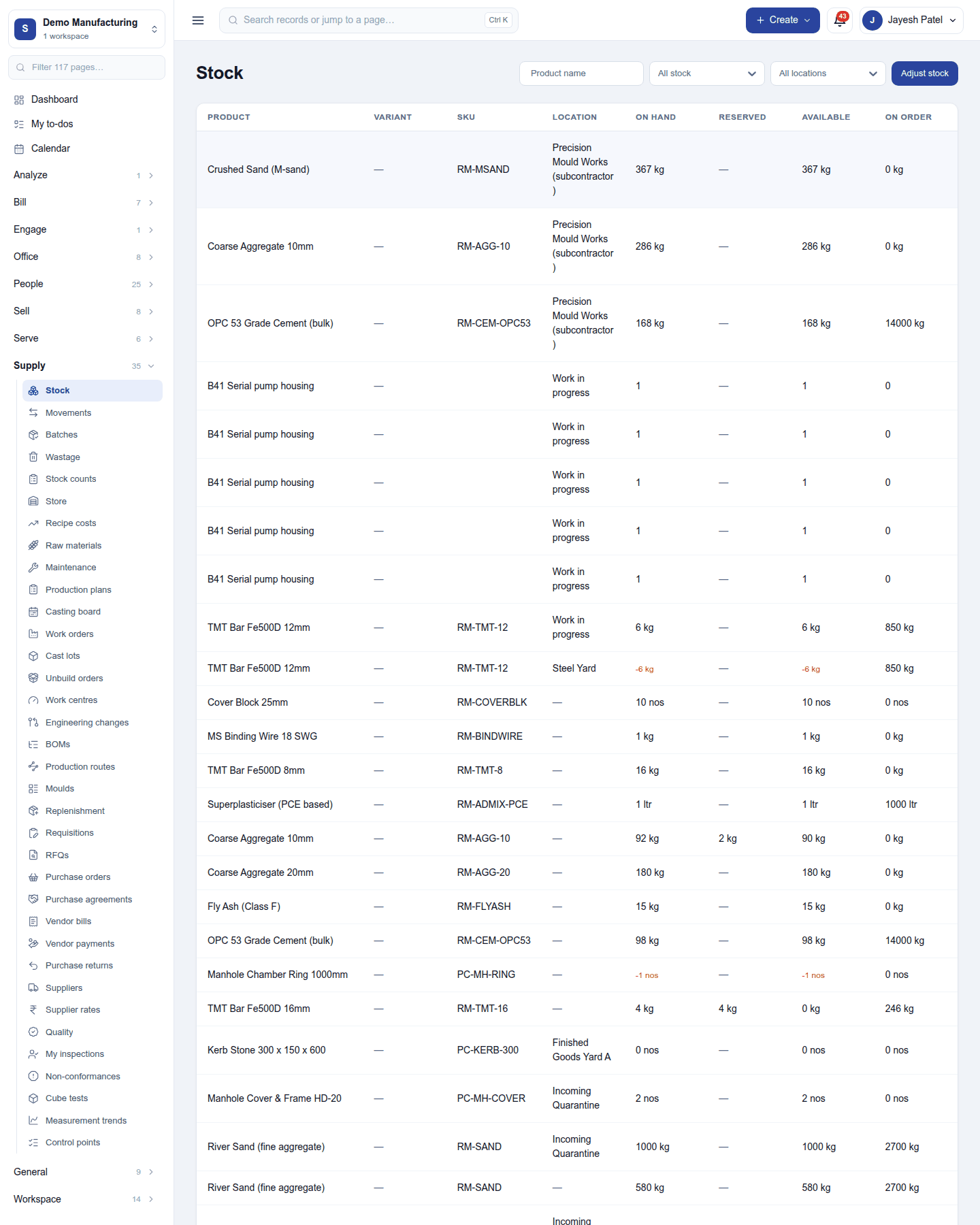
Supply → Stock lists every stocked product with its location and how much is on hand, reserved and available, against its minimum. Filter by product, category and location. Adjust stock corrects a quantity with a reason; Transfer moves stock between locations.
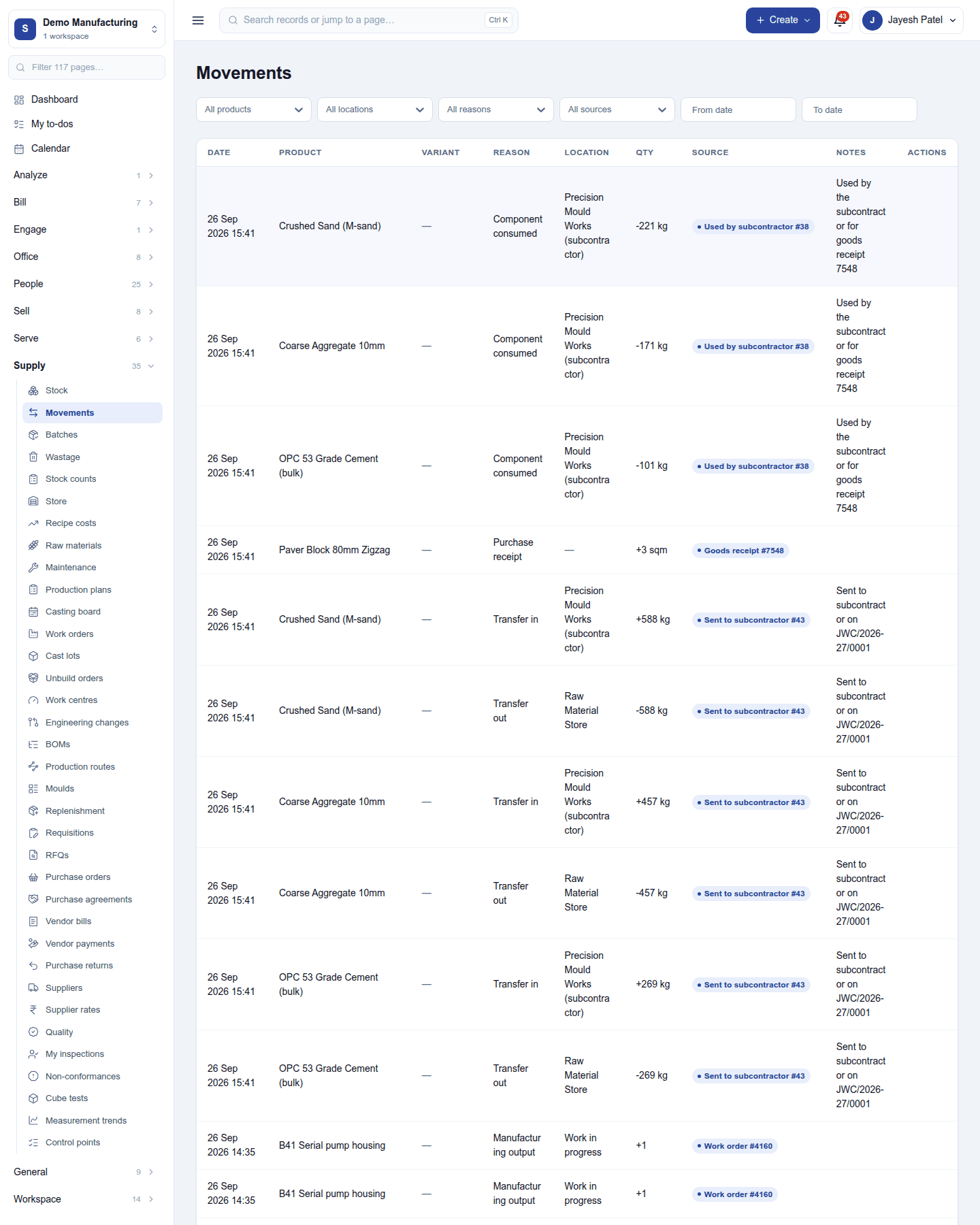
Movements is the log of every change, with its date, product, location, quantity, the reason and the document behind it.
Batches and expiry
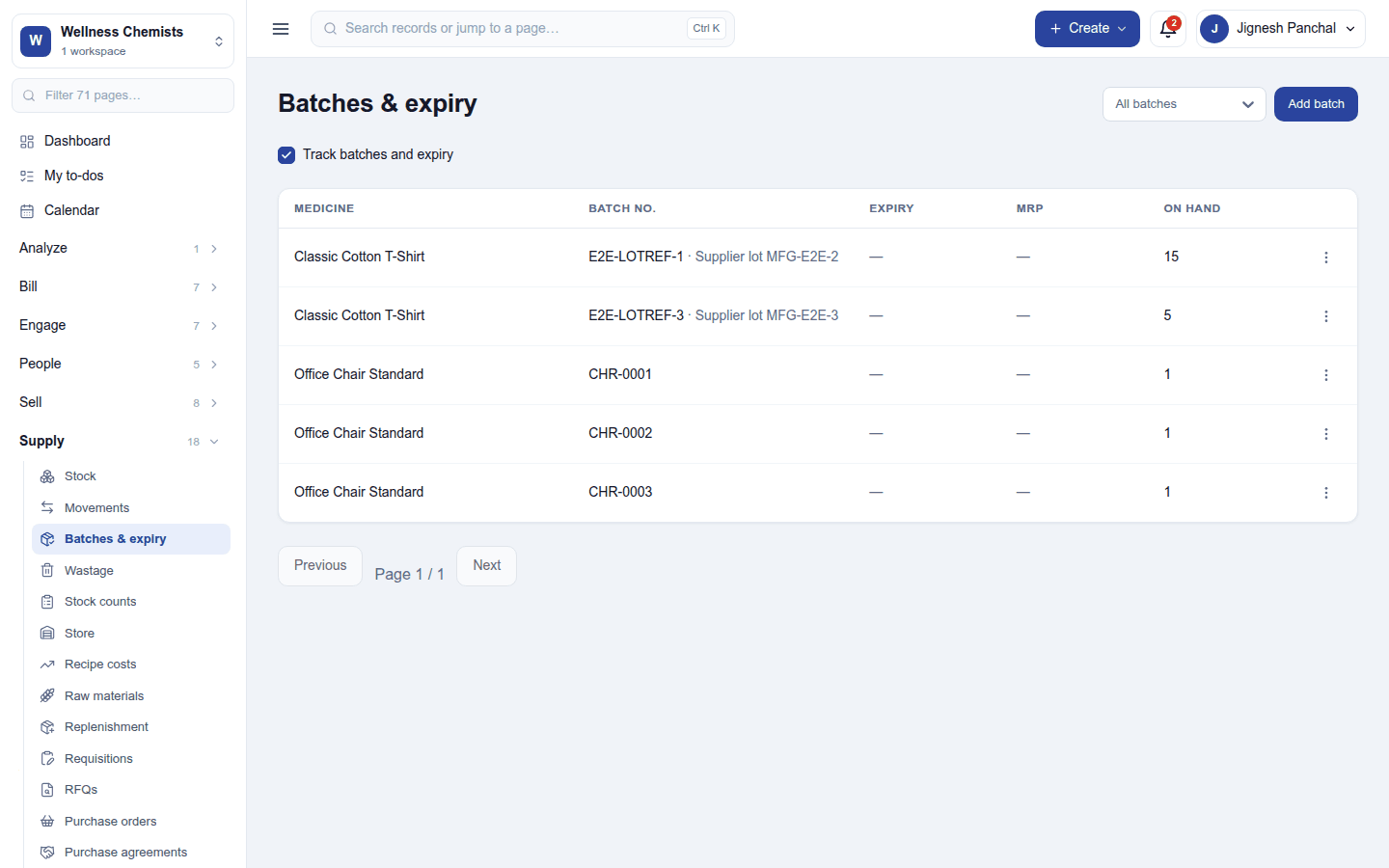
Supply → Batches & expiry (with Track batches and expiry ticked): each batch with its number, the supplier's lot, expiry date, MRP and quantity on hand. Stock is sold first-expiry, first-out, and a batch near its expiry is flagged. Lot numbers can print on invoices.
Counts, the store and wastage
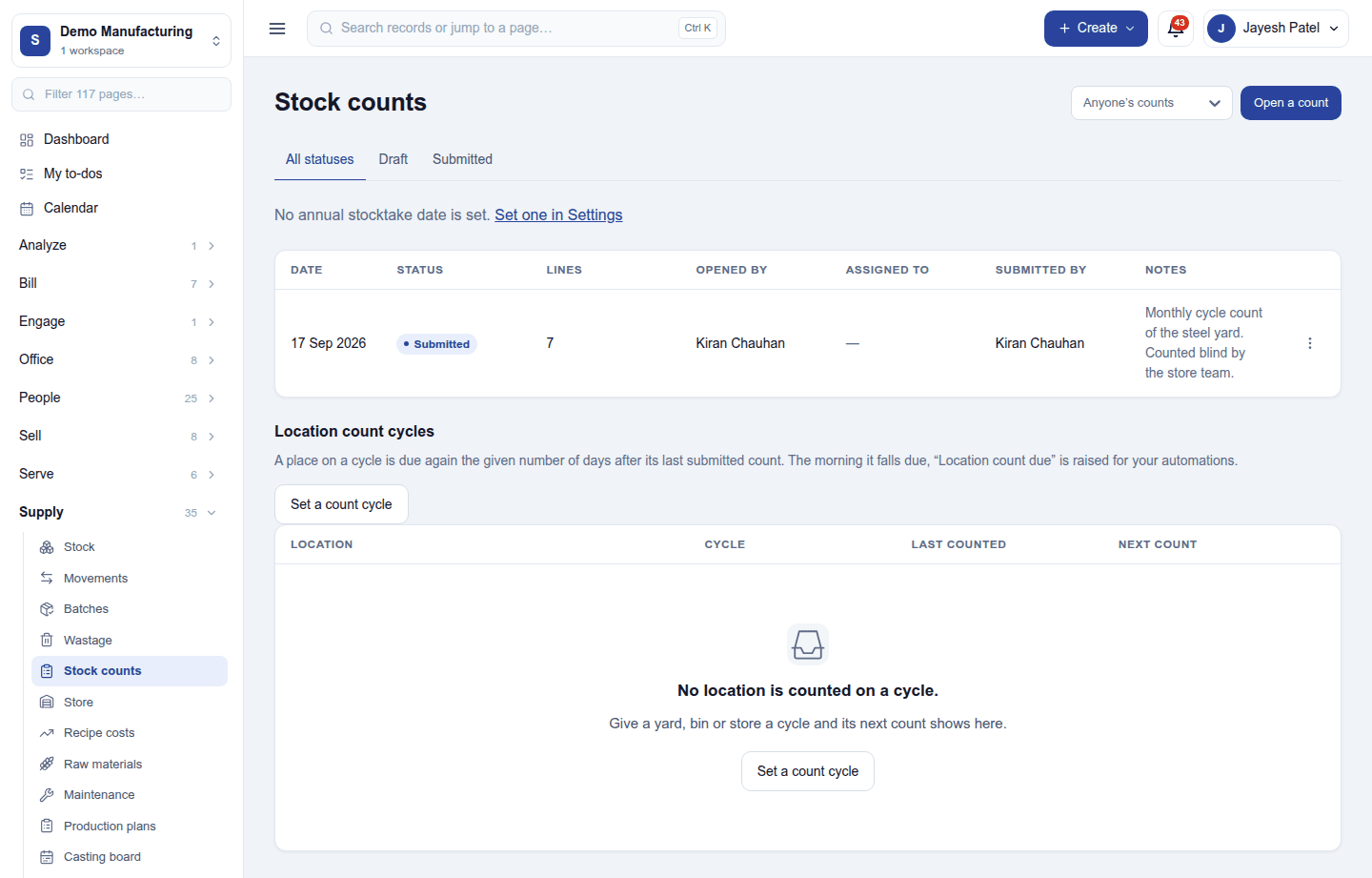
- Stock counts: Open a count for a location, count it (blind if wanted, so the counter cannot see the expected figure) and submit it; the differences post as adjustments. Count cycles set how often each location is counted, and an annual stocktake date can be set.
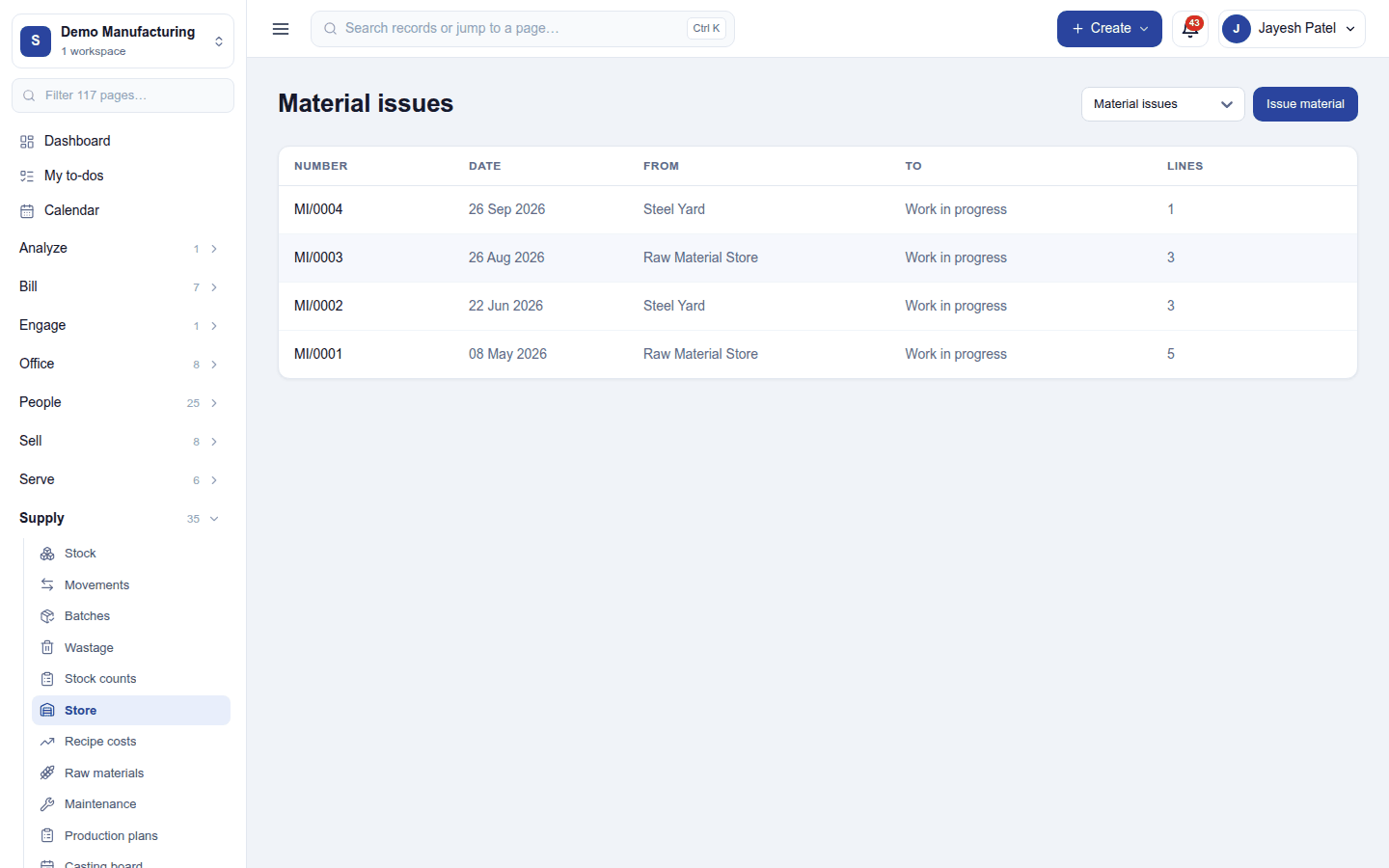
- Store: the documents that move material inside the business: material issues to production or a site, returns to the store, and transfers.
- Wastage: stock written off where it stands, with a reason.
- Raw materials: materials with their thresholds, and Recipe costs: what each recipe costs from its ingredients today.
Settings
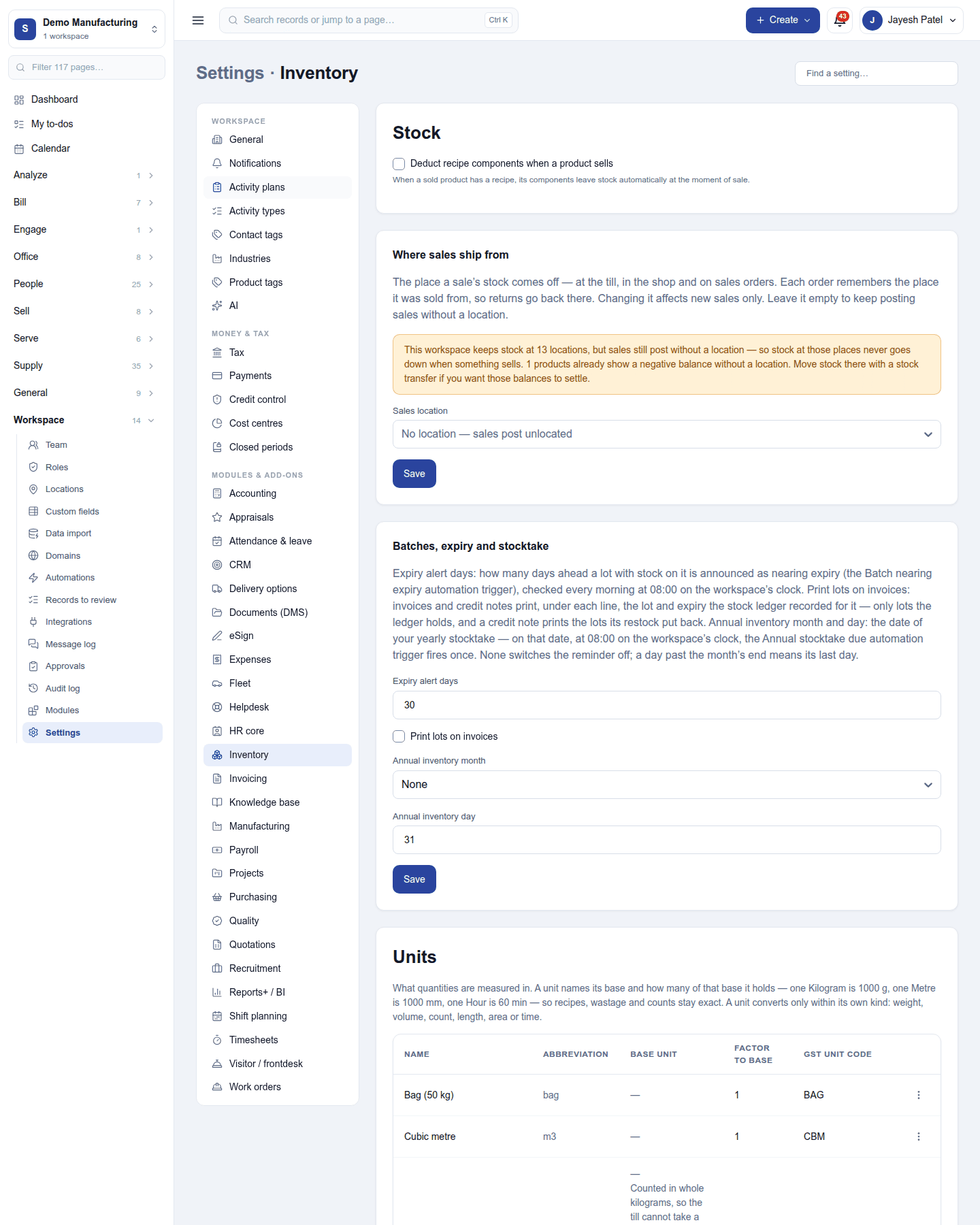
Settings → Inventory:
| Card | Setting | Default | What it does |
|---|---|---|---|
| Stock | Deduct recipe components when a product sells | Off | A sale of a product with a recipe takes its ingredients out of stock. |
| Where sales ship from | Sales location | none | The location sales take stock from. |
| Batches, expiry and stocktake | Expiry alert days | 30 | How long before expiry a batch is flagged. |
| Print lots on invoices | Off | Puts each line's batch on the invoice. | |
| Annual inventory month and day | none | The yearly stocktake date. | |
| Units | (a list) | Units of measure and their families (kg and g, box and piece). |
Reports
Reports → Inventory includes stock valuation with unit-cost history.
Permissions
| Permission | Allows |
|---|---|
View inventory (inventory.view) |
See stock levels, batches, movements, counts and the store. |
Manage inventory (inventory.manage) |
Adjust, transfer, count and write off stock; issue material. |
Ready-made automations
| Name | Kind | What it does | Starts |
|---|---|---|---|
| Tell me when stock runs low | Rule | Tells the workspace owner when a product falls below its minimum. | On |
| Tell me when a batch is about to expire | Rule | Tells the workspace owner when a batch nears its expiry date. | On |
Turning it off
The stock screens leave the menu and stock stops moving. Levels and movements are kept. Purchasing, Manufacturing and Quality need Inventory, so they must be switched off first.
In the desktop and mobile apps
The restaurant desktop app sells from the till's synced catalogue, and its sales move stock on the server once they sync. The stock screens themselves are not in the app.