







































Clinical records (EMR)
The consultation record: what brought the patient in, vitals, clinical notes and diagnosis, allergies and ongoing problems shown first on every visit, prescriptions checked against allergies, dispensing from the clinic's own pharmacy, the follow-up date, and the consultation's bill.
| At a glance | |
|---|---|
| Type | Business module |
| Group | Serve |
| Needs | Nothing. Dispensing uses Inventory and POS stock; the diary is Appointments; the in-house lab is Lab. |
| Included in | Clinics |
| Offered to | Clinics, Vet clinic & pet shop, Diagnostic lab / pathology |
| Permissions | View clinical records (emr.view), Manage clinical records (emr.manage), Prescribe (emr.prescribe) |
A clinic's words apply: the customer is a Patient in a clinic workspace.
What it does
A clinic is mostly made of other modules: the doctor's diary is Appointments, the waiting queue is Frontdesk, the pharmacy is Inventory and POS with batch tracking, the lab is Lab, the bill is an ordinary order and invoice. The consultation is the one thing this module adds.
Switching it on
Workspace → Modules → Clinical records (EMR) → Enable (needs Manage modules). Consultations appears under Serve.
Consultations
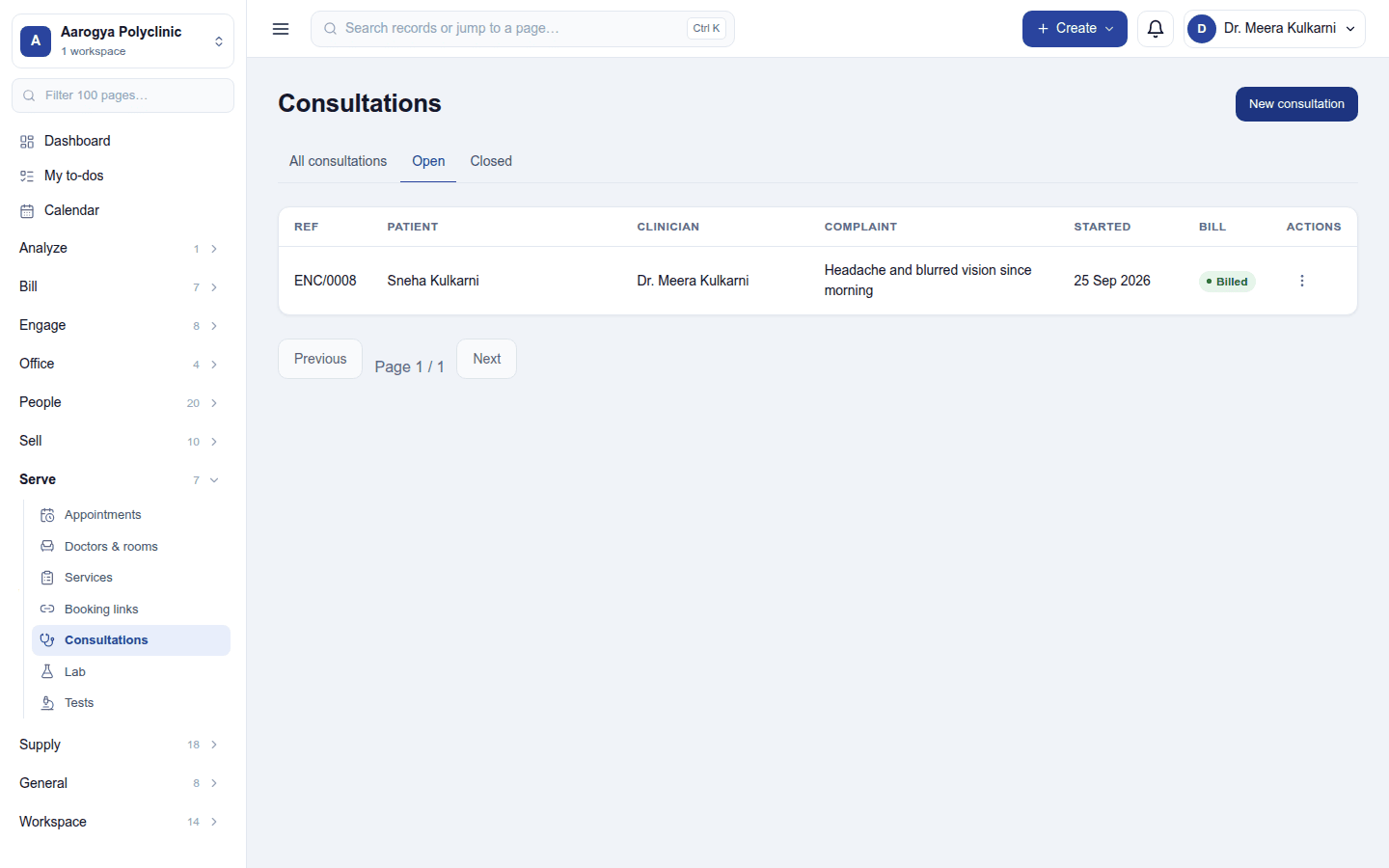
Serve → Consultations lists every consultation with its patient, clinician, date and status (Open or Closed), filtered by status. New consultation starts one for a patient; Open record opens it.
A consultation
New consultation starts one for a patient: who is seeing them (the clinician), the complaint (what brought them in today) and the vitals (BP, pulse, temperature). Opening it shows the record:
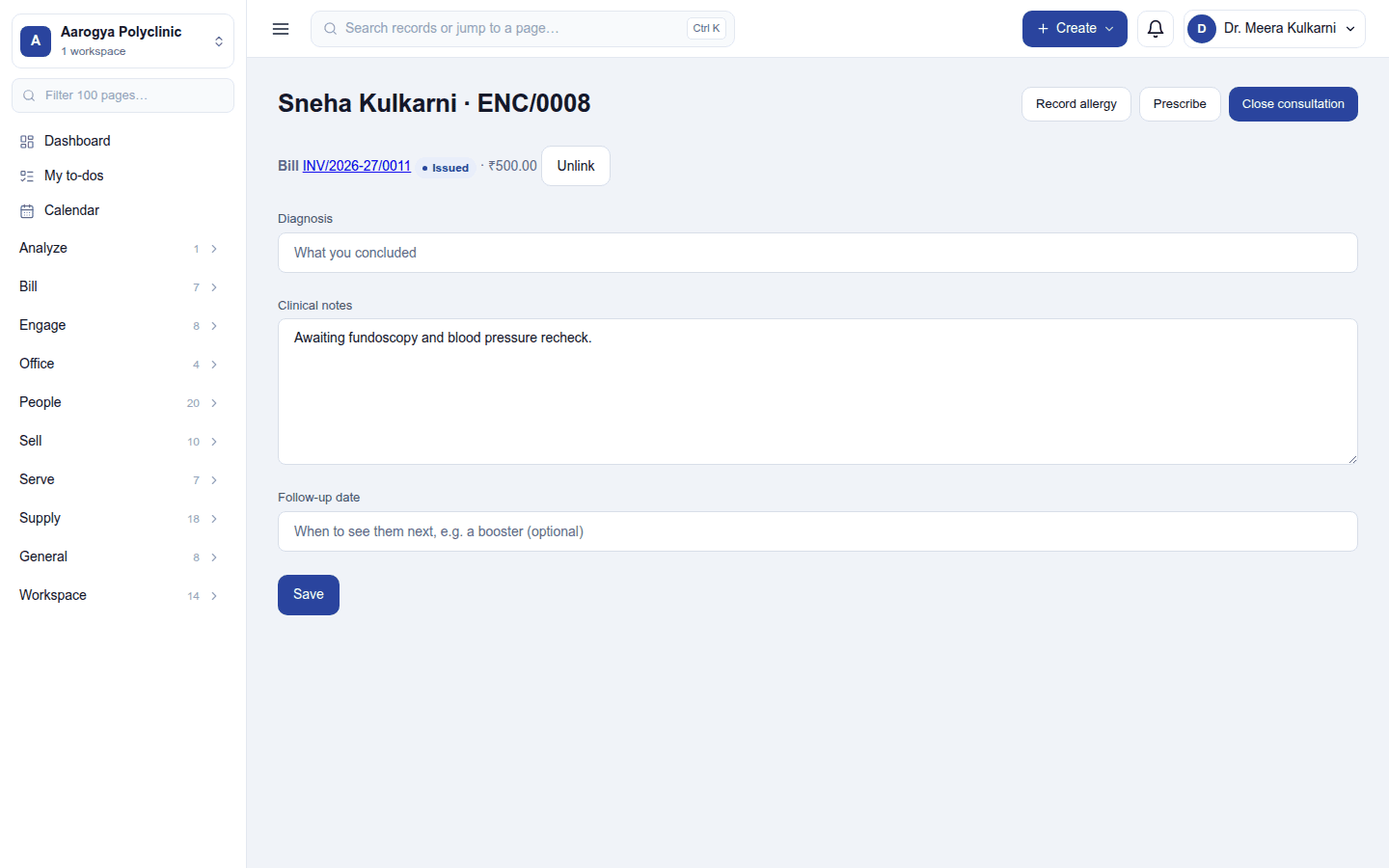
- Allergies and Ongoing problems, when the patient has any, sit at the top in red on every consultation: they belong to the patient, not the visit, so a doctor who has never met the patient still sees them. Record allergy adds the substance, the reaction and how bad it is; an allergy is recorded once per patient.
- The consultation's bill, with Unlink.
- Diagnosis (what you concluded), clinical notes (history, examination, plan) and the follow-up date (the patient is reminded the day before). Save keeps them.
- Guardian: for a child, the person who looks after them.
Close consultation when the visit is done. A closed consultation is a record, not a draft: Reopen it to change anything.
Prescribing
Prescribe (needs the Prescribe permission) lists the drugs, each with its dose (500 mg), frequency (1-0-1) and instructions (After food); the dialog counts the doses in all. A drug can be linked to a stocked item so the pharmacy can dispense it; one the clinic does not stock reads Not stocked here - the patient buys this elsewhere. Print prints the prescription with its number (Rx no.).
The allergy check warns, never blocks. Each drug is compared with the patient's recorded allergies by name; a match is shown (Prescription written - but it collides with a recorded allergy) and the doctor decides. It is a name match, not clinical decision support: it does not know drug classes.
Dispensing
Dispense sends the stocked drugs to the pharmacy as an ordinary order: billed and taxed like any sale, with stock leaving earliest-expiry-first. Substitute… on a line hands over another medicine instead, with the reason. A narcotic, controlled drug or targeted substance needs a dispensing pharmacist (a role with Dispense as pharmacist), and is written to the dispensing register.
The bill
Bill this consultation raises the consultation's bill, or Link an existing bill of the patient (or of whoever looks after them) that no other consultation has. Unlink detaches it without changing the bill.
Permissions
| Permission | Allows |
|---|---|
View clinical records (emr.view) |
Read clinical notes, observations and prescriptions. |
Manage clinical records (emr.manage) |
Start, write, close and reopen consultations; record allergies; bill. |
Prescribe (emr.prescribe) |
Write prescriptions. |
Ready-made automations
| Name | Kind | What it does | Starts |
|---|---|---|---|
| Remind the patient of a follow-up visit | Rule | The day before a follow-up visit is due, emails the patient. | On |
Turning it off
Consultations leaves the menu. Every consultation, allergy and prescription is kept.
In the desktop and mobile apps
Not carried.