







































Purchasing
Buys what the business needs: requisitions from the floor, requests for quotation to several suppliers, purchase orders, receiving goods, vendor bills checked against what was ordered and delivered, paying suppliers, returns, and keeping stock topped up.
| At a glance | |
|---|---|
| Type | Business module |
| Group | Supply |
| Needs | Inventory |
| Included in | Most packs that hold stock: Shops & counters, Restaurant, Manufacturing, Hotel, Clinics, Wholesale and others |
| Offered to | Every industry pack |
| Permissions | View purchasing (purchasing.view), Manage purchasing (purchasing.manage), Raise requisitions (purchasing.request) |
Switching it on
Workspace → Modules → Purchasing → Enable (needs Manage modules). Inventory must be on first. The purchasing screens appear under Supply, and Settings gains a Purchasing page.
The flow
| Screen | What it is |
|---|---|
| Requisitions | Someone asking for material: no supplier, no price, just we need this by Friday. Anyone with Raise requisitions can raise one; a buyer acts on it. |
| RFQs | One enquiry sent to several suppliers, and the side-by-side comparison of what each quoted, to award the order. |
| Purchase orders | The commitment: this supplier, this material, this price, this delivery date. |
| Purchase agreements | Blanket orders and agreed prices over a period, called off by purchase orders. |
| Vendor bills | What the supplier invoiced, matched against the order and the delivery. |
| Vendor payments | Paying suppliers, advances, and the TDS deducted. |
| Purchase returns | Goods sent back, and the debit notes they raise. |
| Replenishment | What is running low, and the requisitions to raise for it. |
| Suppliers and Supplier rates | The supplier master and each supplier's rate card. |
Purchase orders
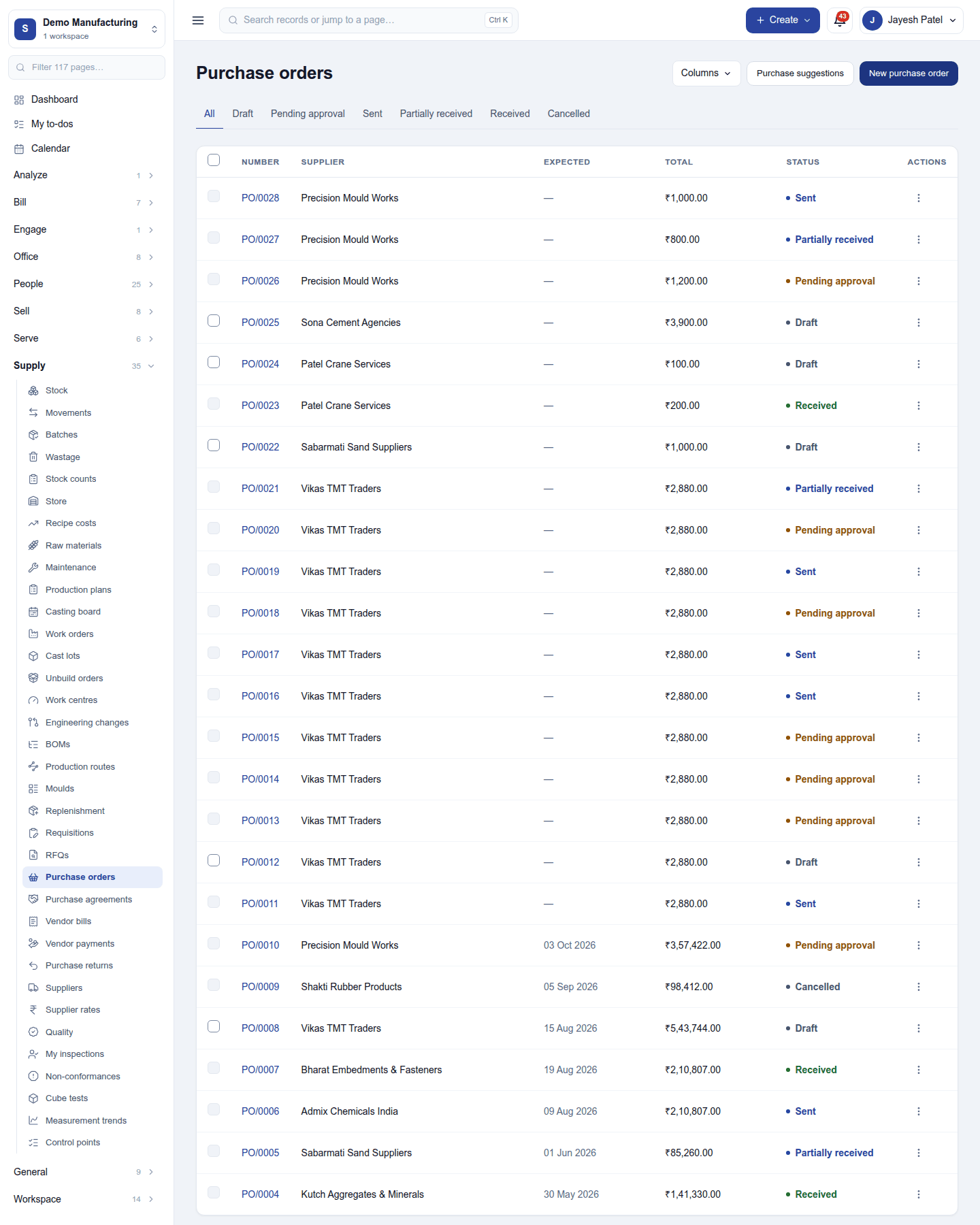
The list shows each order (PO/…) with its supplier, dates, total and status. New purchase order picks the supplier and lines (products, quantities, rates, discounts and tax), or raises one from a requisition or an awarded RFQ. Draft orders to the same supplier can be merged; variants can be ordered from a grid.
Open an order to see its lines, what has been received and billed, and its Deliveries:
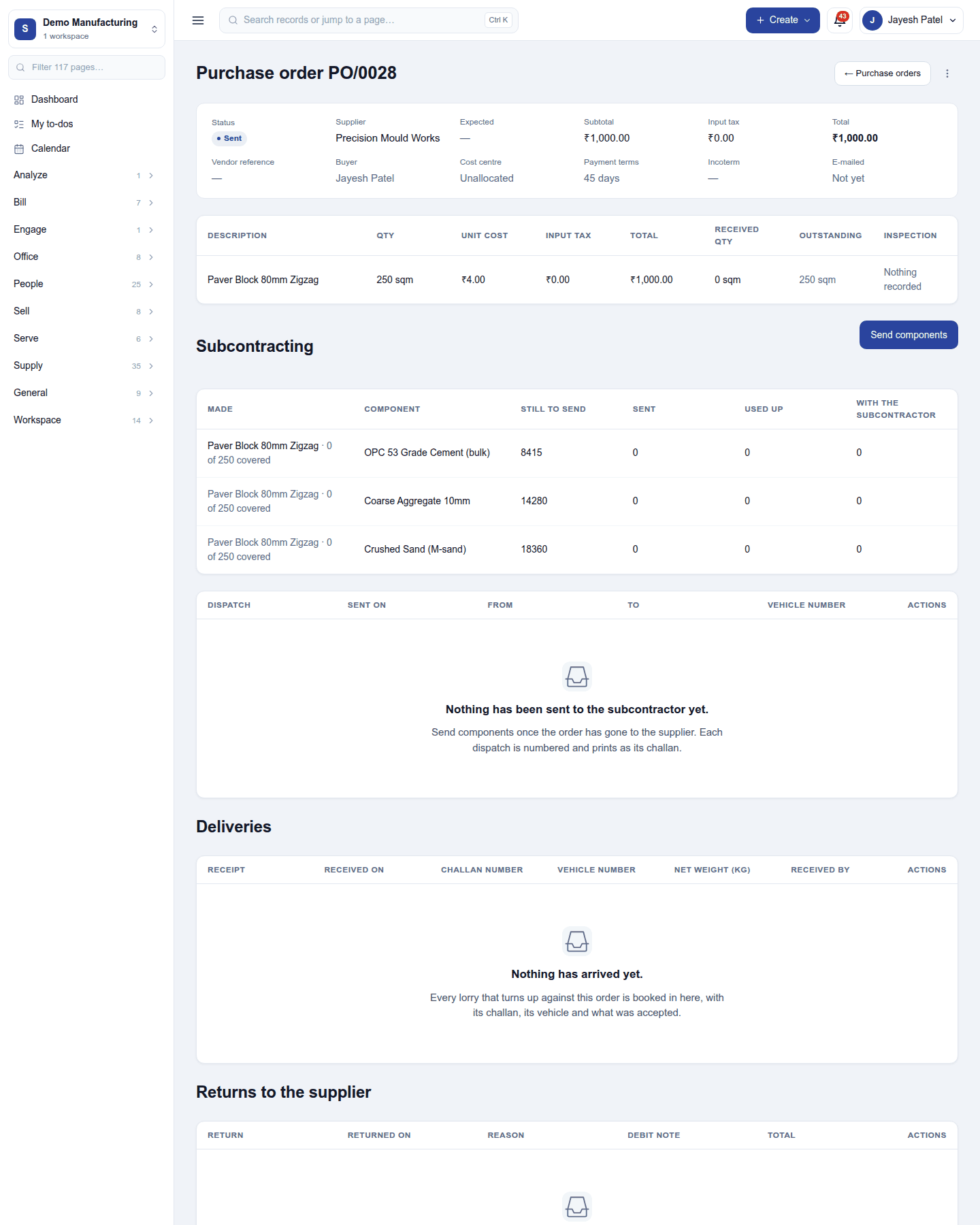
- Send to vendor emails the order as a PDF.
- Receive goods (on the order's ⋮ menu) books a delivery: the supplier's delivery note, the vehicle and any weighed quantity, what arrived and what was accepted, with quality at the gate when Quality is on. Scanning each line can be required first.
- Record the vendor's invoice on a delivery fills a vendor bill with what arrived, at the delivery's rates.
Requisitions and RFQs
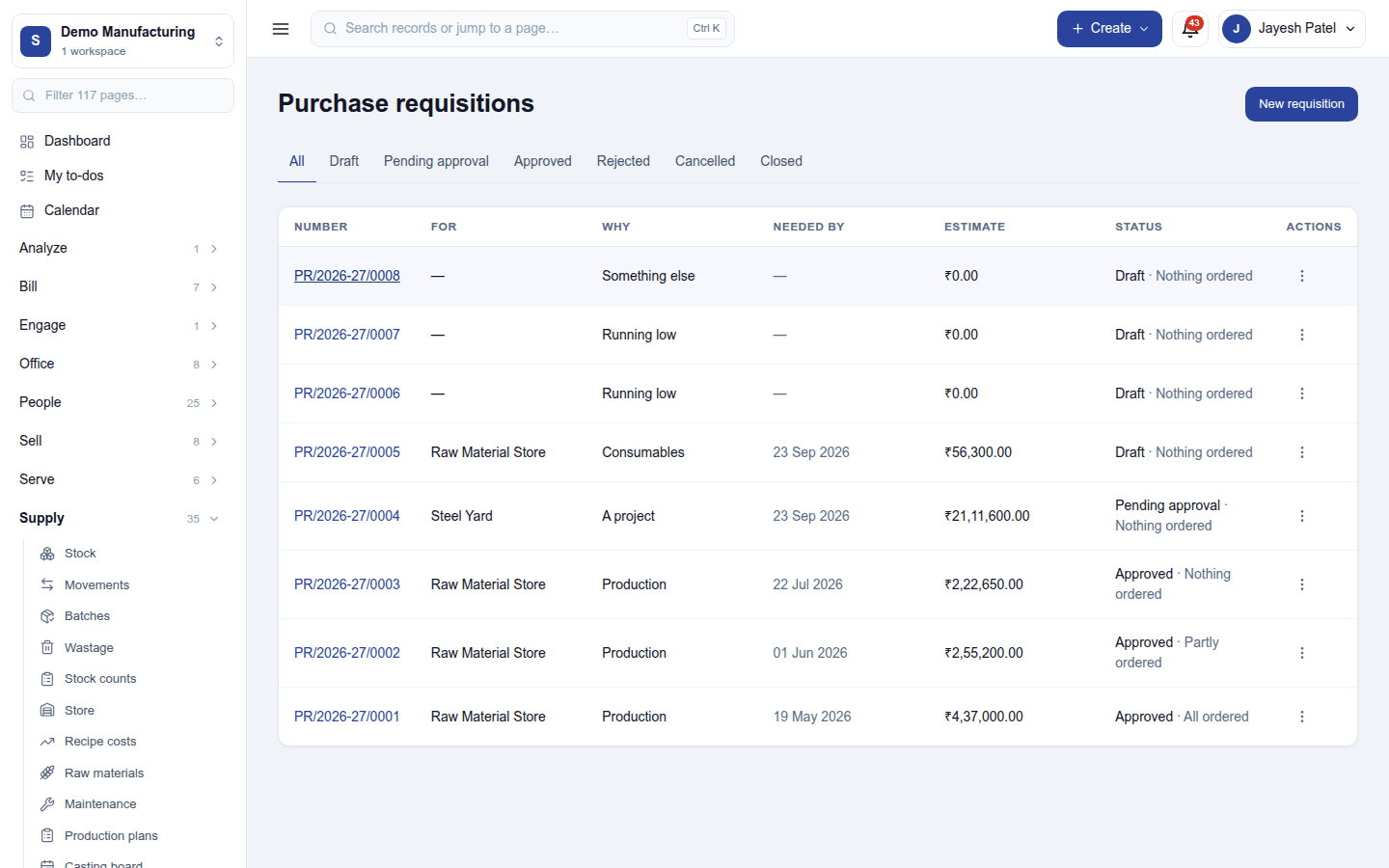
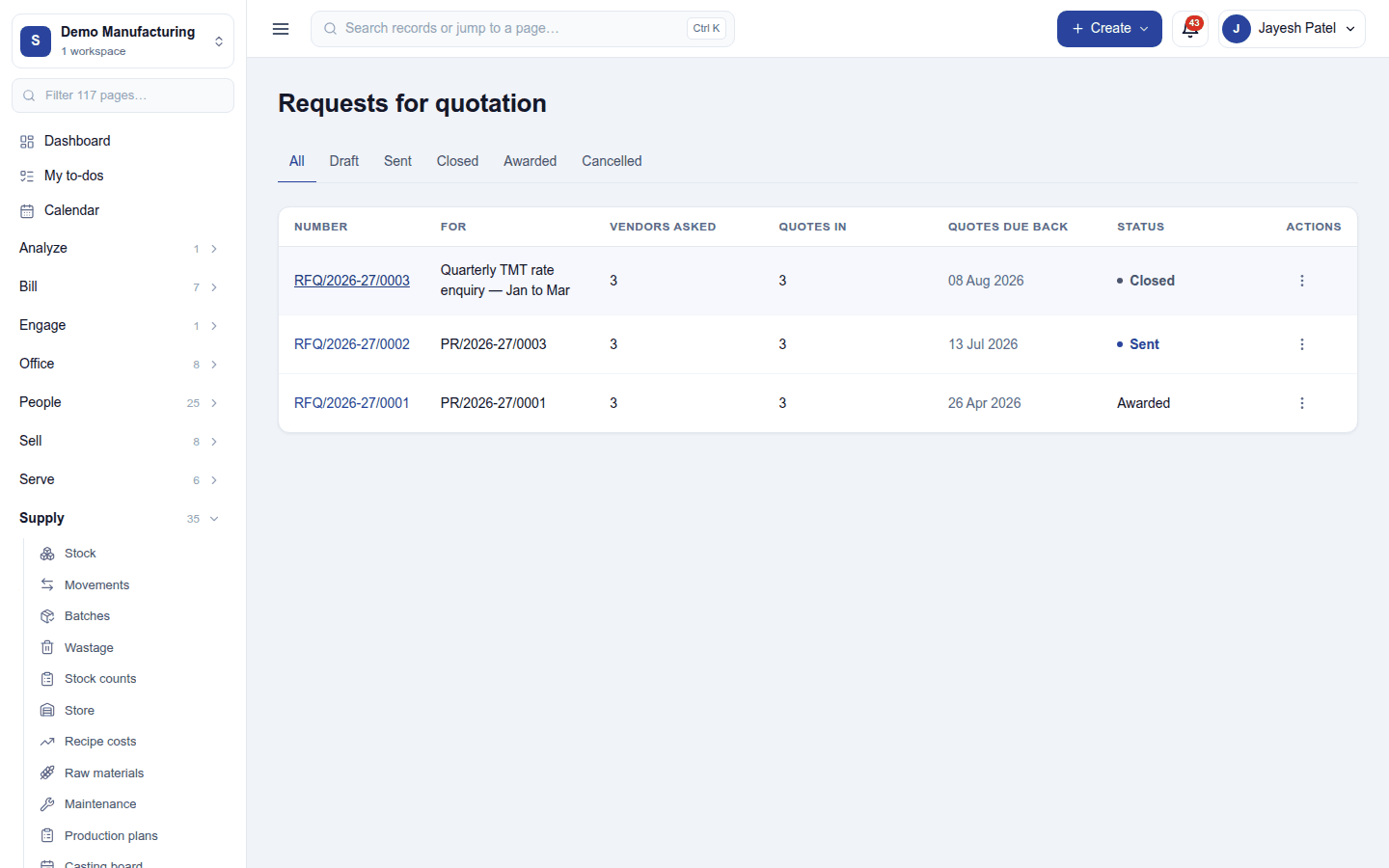
A requisition lists what is needed and by when. The buyer turns it into a purchase order, or sends an RFQ to several suppliers and compares their answers line by line to award the order.
Vendor bills and payments
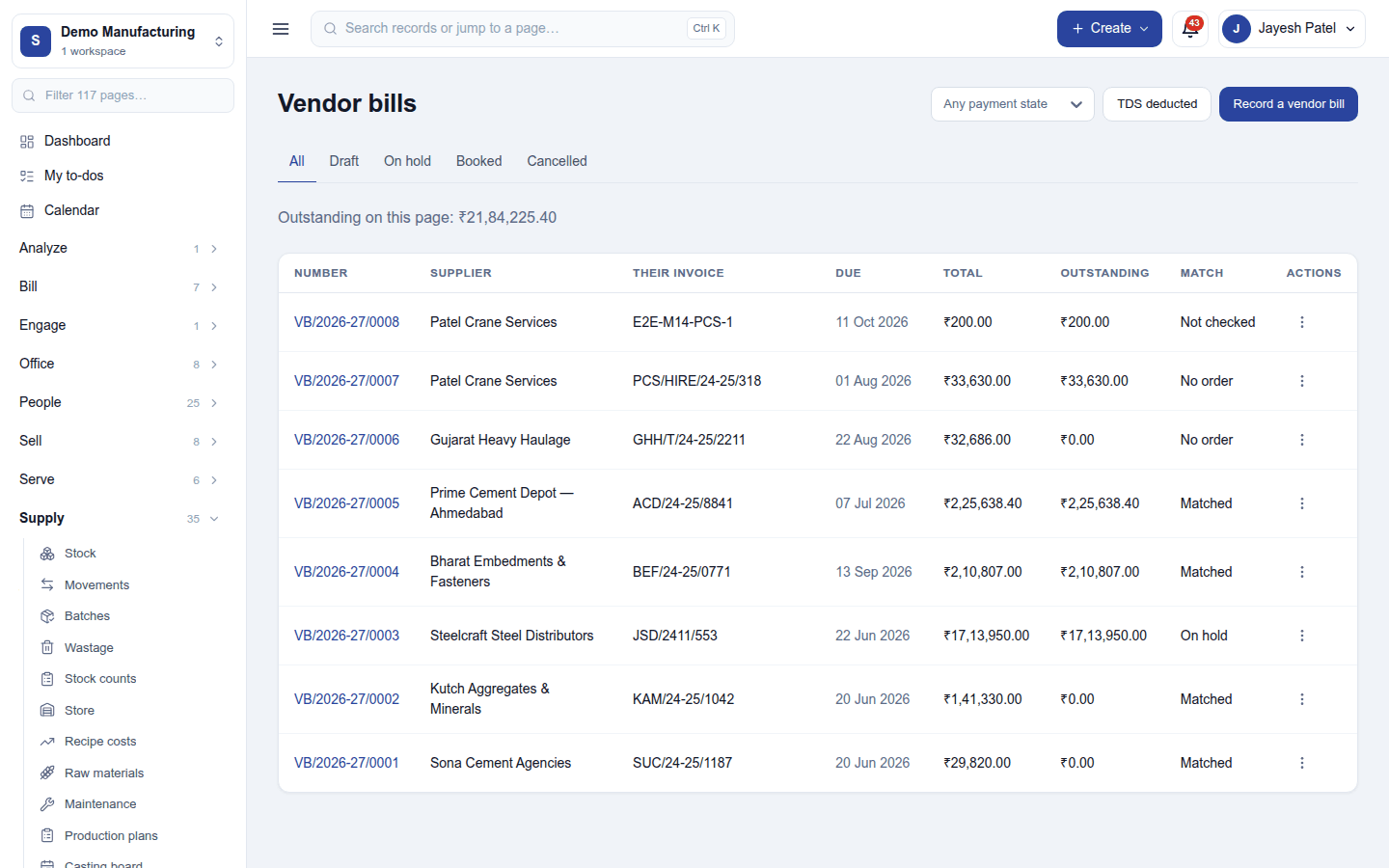
A vendor bill (VB/…) carries the supplier's invoice number and date, the due date, and its lines. Each line is checked three ways, against the order (what was agreed) and the delivery (what was accepted, less returns and what other bills already invoiced):
| Verdict | What happened |
|---|---|
| Matches | Within tolerance on quantity and rate. |
| More billed than arrived | An invoice for goods that never came, or a second invoice for the same delivery. |
| More billed than ordered | The delivery covers it but the order does not. |
| Rate differs | Not the rate that was ordered. |
| No order line | The line cites no purchase order. |
A bill that does not match goes on hold when it is booked: it is a real liability and ages in the payables report, but it cannot be paid until someone decides. Bills can also arrive by email and be read in.
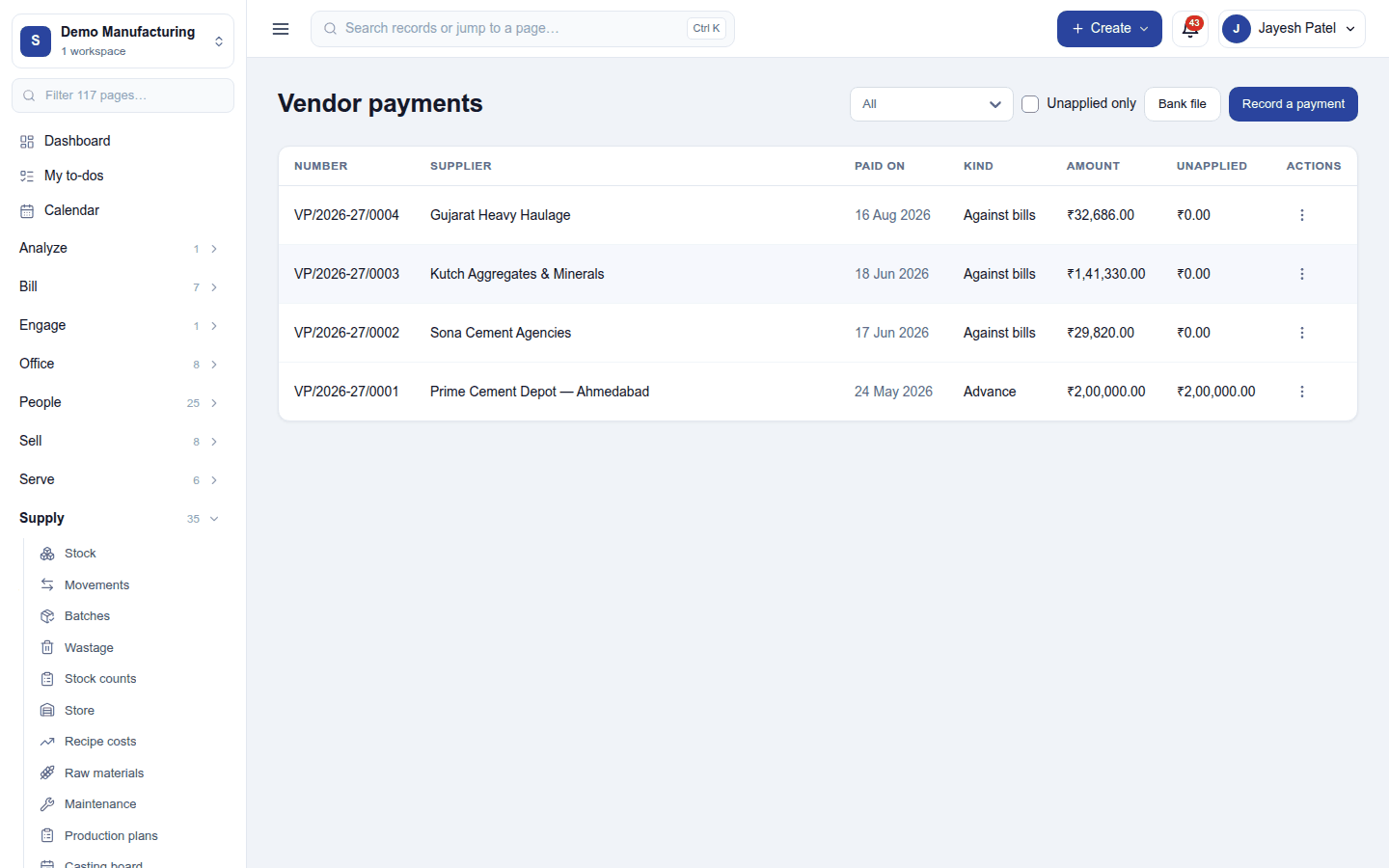
Vendor payments pays bills, records advances to suppliers, and keeps the TDS deducted on them (with the TDS register). With Accounting posting, bills and payments go to the books.
Replenishment
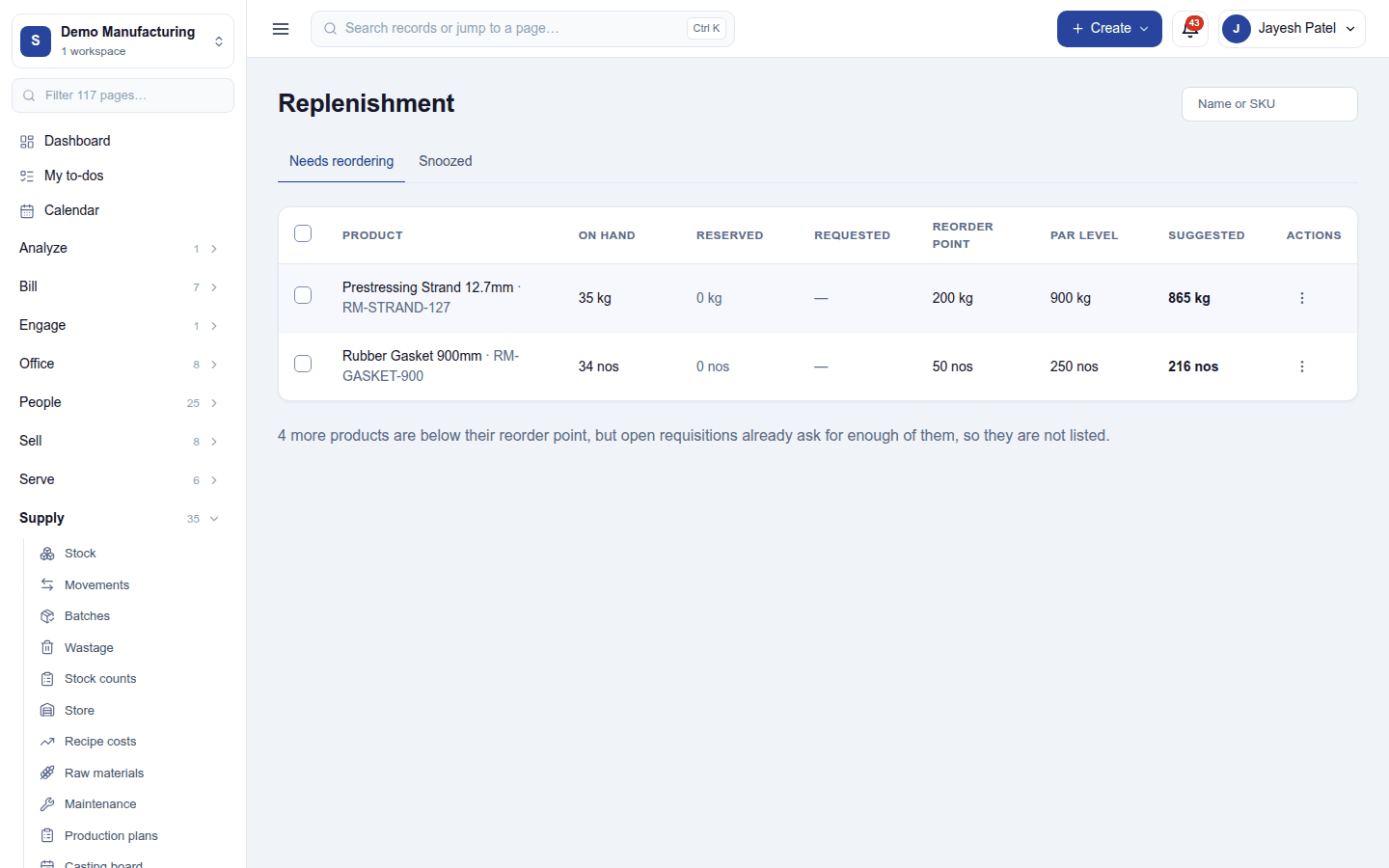
Replenishment lists products below their minimum, or below what open orders need, with a suggested quantity from each product's reorder rules. Raise requisition on a row (or Raise one requisition for several ticked rows) creates a draft requisition for the buyer; Snooze hides a row until a date.
Settings
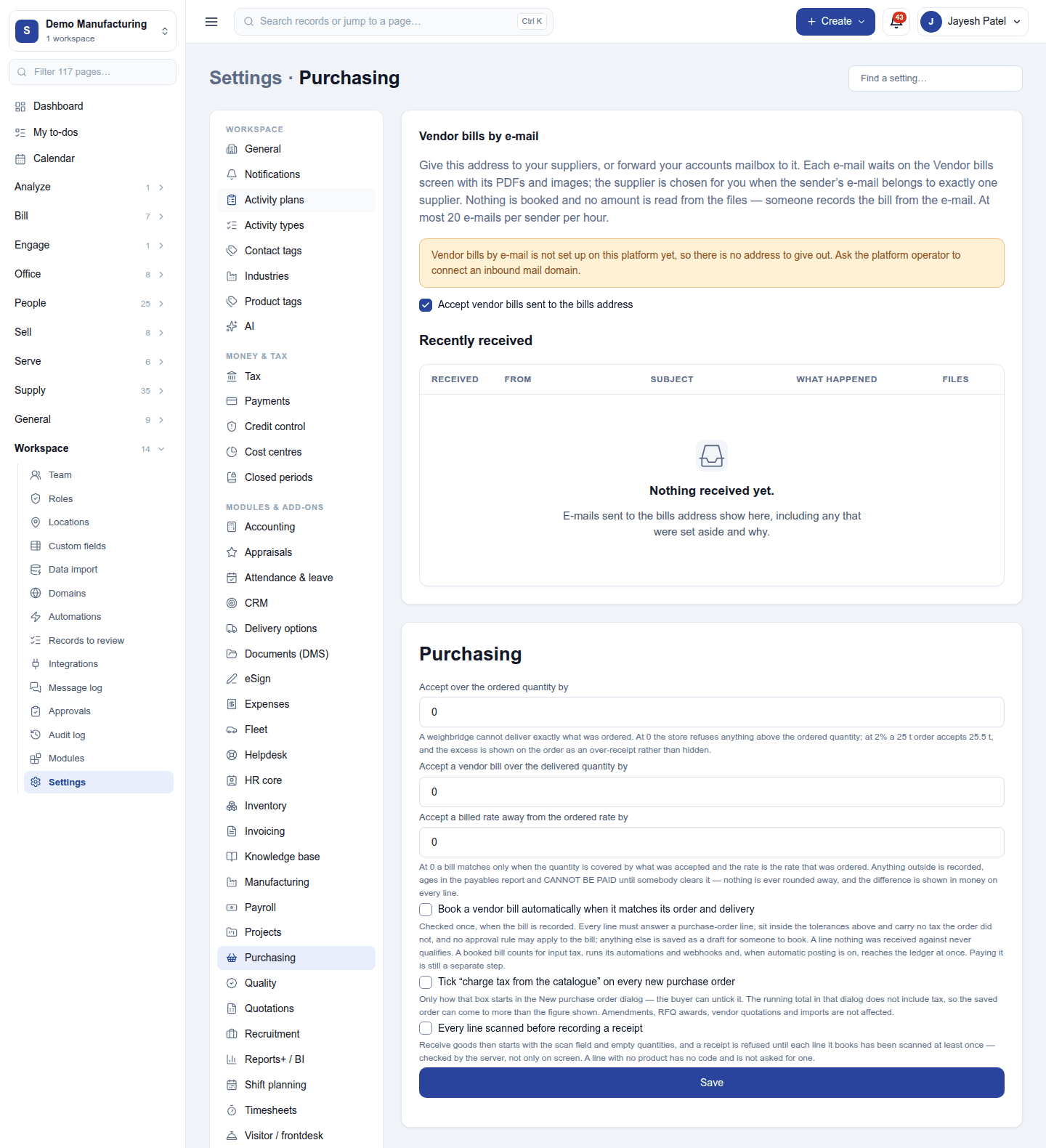
Settings → Purchasing:
| Setting | What it does |
|---|---|
| Accept over the ordered quantity by | How far over the ordered quantity a delivery may be (blank refuses any excess). |
| Accept a vendor bill over the delivered quantity by | The quantity tolerance for the three-way match. |
| Accept a billed rate away from the ordered rate by | The rate tolerance for the three-way match. |
| Book a vendor bill automatically when it matches | A matching bill is booked without anyone opening it. |
| Charge tax from the catalogue | Ticks charge tax from the catalogue on every new purchase order. |
| Every line scanned before recording a receipt | Receiving requires each line to be scanned. |
Permissions
| Permission | Allows |
|---|---|
View purchasing (purchasing.view) |
See requisitions, RFQs, purchase orders, deliveries, vendor bills and payments. |
Manage purchasing (purchasing.manage) |
Run RFQs, place orders, receive goods, record bills and pay suppliers. |
Raise requisitions (purchasing.request) |
Ask for goods to be bought, for a buyer to act on. |
Ready-made automations
| Name | Kind | What it does | Starts |
|---|---|---|---|
| Remind me of supplier bills falling due | Rule | Two days before a booked supplier bill falls due, tells the person who booked it and the workspace owner. | On |
| Tell me when a purchase order is late | Rule | Tells the workspace owner when goods on a purchase order are later than expected. | On |
| Ask the supplier for a delivery date | Action (on a purchase order) | Emails the supplier asking when this purchase order will arrive. | On |
Turning it off
The purchasing screens leave the menu. Orders, deliveries, bills and payments are kept. Inventory can be switched off only after Purchasing.
In the desktop and mobile apps
Not carried.