







































Team chat
The team's own chat: channels for a topic or a team, direct messages, mentions, files, reactions, and who is online, with unread messages emailed so nothing is missed.
| At a glance | |
|---|---|
| Type | Business module |
| Group | Office |
| Needs | Nothing. Members, files and the bell are part of the platform. |
| Included in | Manufacturing, Hotel / guest house, Repairs & field service, Services & appointments, Schools & colleges |
| Offered to | Every industry pack |
| Permissions | Use team chat (team_chat.use), Manage team chat (team_chat.manage) |
Switching it on
Workspace → Modules → Team chat → Enable (needs Manage modules). Team chat appears under Office.
The screen
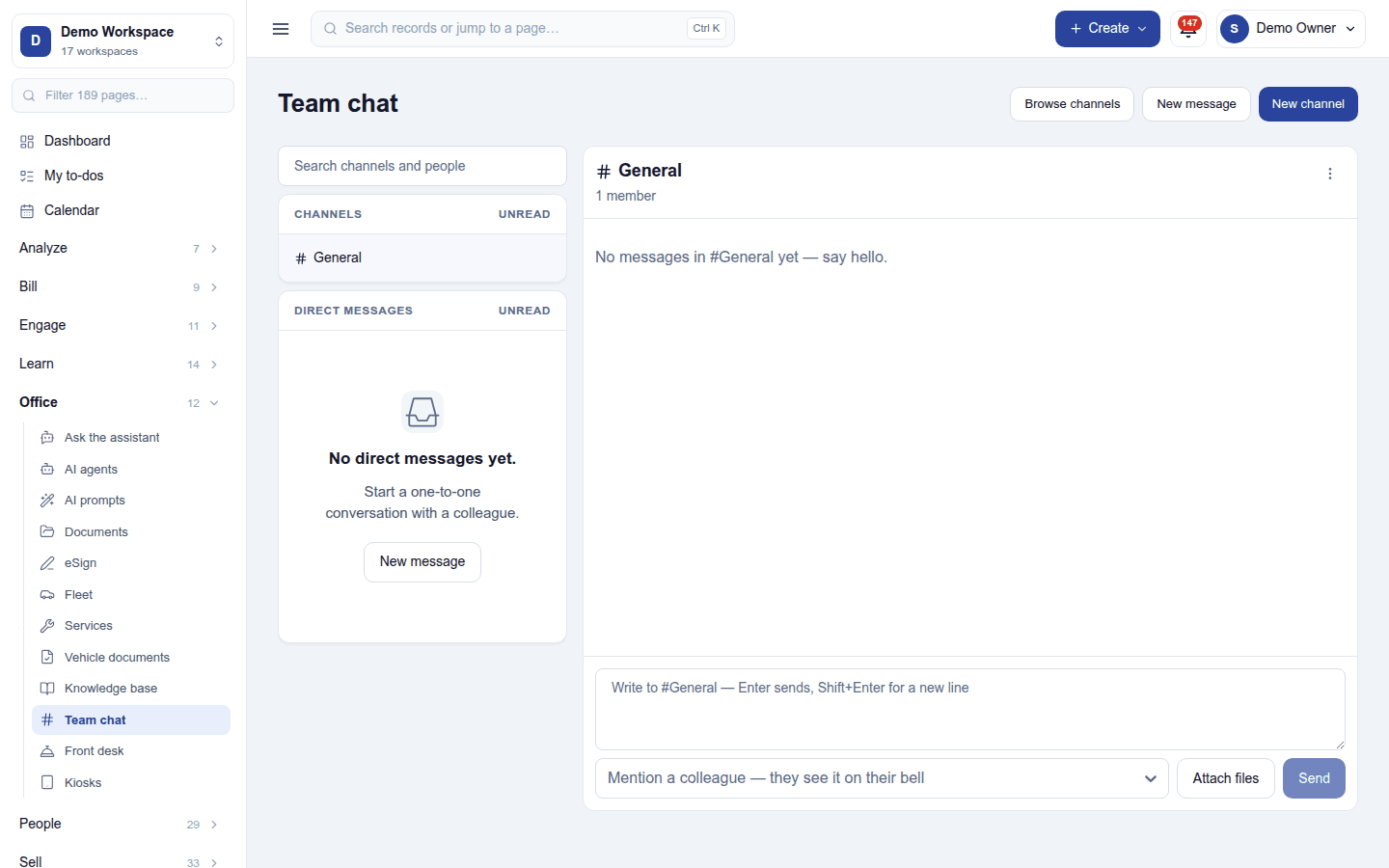
- Left: a search box, your Channels (General first, then by name; a lock marks a private channel, archived ones come last) and your Direct messages, each with its unread count and last message. A dot shows who is online (green), out of office (amber) or away (grey).
- Right: the open conversation, with its name, topic and members, the Channel actions menu (Edit channel, Members, Leave channel, Archive channel), the messages and the composer.
- Above: Browse channels, New message and New channel.
Messages can mention a colleague (@name), who is told on the bell; carry files (kept in the file manager, seen only by the conversation's members); be edited or deleted by their writer; and take reactions. A new channel is public (anyone can browse and join) or private (members only).
A mention or direct message left unread for 30 minutes is emailed to the person, once (a message older than a day never is).
Permissions
| Permission | Allows |
|---|---|
Use team chat (team_chat.use) |
Chat with colleagues, create channels, send direct messages. |
Manage team chat (team_chat.manage) |
Archive and moderate public channels. |
Ready-made automations
None. Unread messages are mailed on their own.
Turning it off
Team chat leaves the menu. Channels and messages are kept.
In the desktop and mobile apps
Not carried.