







































Donations
Records gifts and promises from donors, issues each gift a receipt with the country's tax-deduction wording, files every gift under a fund, and reports what each fund raised and how much of it donors can claim.
| At a glance | |
|---|---|
| Type | Business module |
| Group | Bill |
| Needs | Nothing. Funds are cost centres; recurring giving uses Subscriptions. |
| Included in | Trusts & non-profits |
| Offered to | Trusts & non-profits, Association & club, Housing society & RWA, Schools & colleges, Clinics, Vet clinic & pet shop |
| Permissions | View donations (donations.view), Manage donations (donations.manage), Reverse donations (donations.void) |
What it does
A donor is a contact, a fund is a cost centre, and the money rides the ordinary invoice and payment chain. Recording a gift issues a zero-tax receipt (an invoice, called Receipt, because a gift is not a sale), records the money as received, and posts it to the books under its fund. Whether the gift earns the donor tax relief is decided by the workspace's country, never by a setting someone can get wrong.
Switching it on
Workspace → Modules → Donations → Enable (needs Manage modules). Donations and Funds appear under Bill.
The register
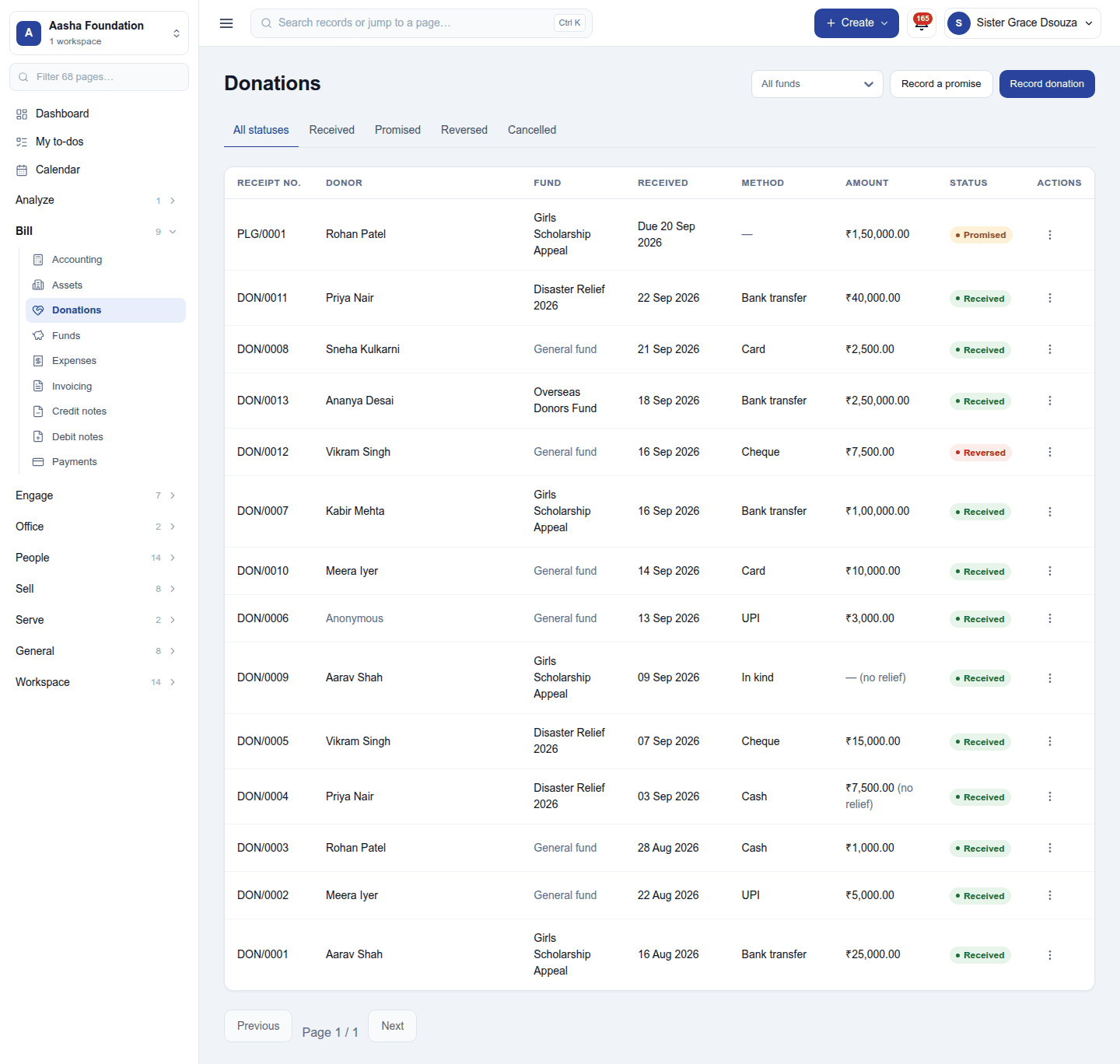
Bill → Donations lists every gift and promise: receipt number, donor, fund, date received, how it came, amount and status. The tabs filter All statuses / Received / Promised / Reversed / Cancelled, and the header filters by fund. A gift that earns no relief is tagged (no relief), and a gift of goods shows In kind as its method.
Recording a gift
Record donation: the donor, the amount, how it arrived (cash, bank transfer, UPI, card, cheque, or in kind for goods), the date, the fund and the donor's tax ID (PAN in India, EIN or SSN in the US, NI number in the UK …). The receipt is numbered from the workspace's receipt series and printed from the gift's menu.
| Country | Scheme | Donor's tax ID |
|---|---|---|
| India | 80G | PAN |
| United States | 501(c)(3) | EIN / SSN |
| United Kingdom | Gift Aid | NI number |
| Australia | DGR | TFN / ABN |
| Canada | Registered charity | SIN |
| Singapore | IPC | NRIC / UEN |
India's cash rule: a cash gift over ₹2,000 earns no 80G deduction. The form warns before it is recorded, and suggests another way to pay; recorded anyway, its receipt says it certifies no deduction.
Not registered for relief? Settings → Donations has This organisation is registered for tax-deductible donations (on by default). Switched off, new receipts certify no deduction. The 80G registration number goes under Settings → Registration numbers and prints on every receipt.
A gift dated into a closed period is refused.
Promises
Record a promise notes what a donor has pledged: no money moves and no receipt is issued, and it takes its own number series (PLG/…).
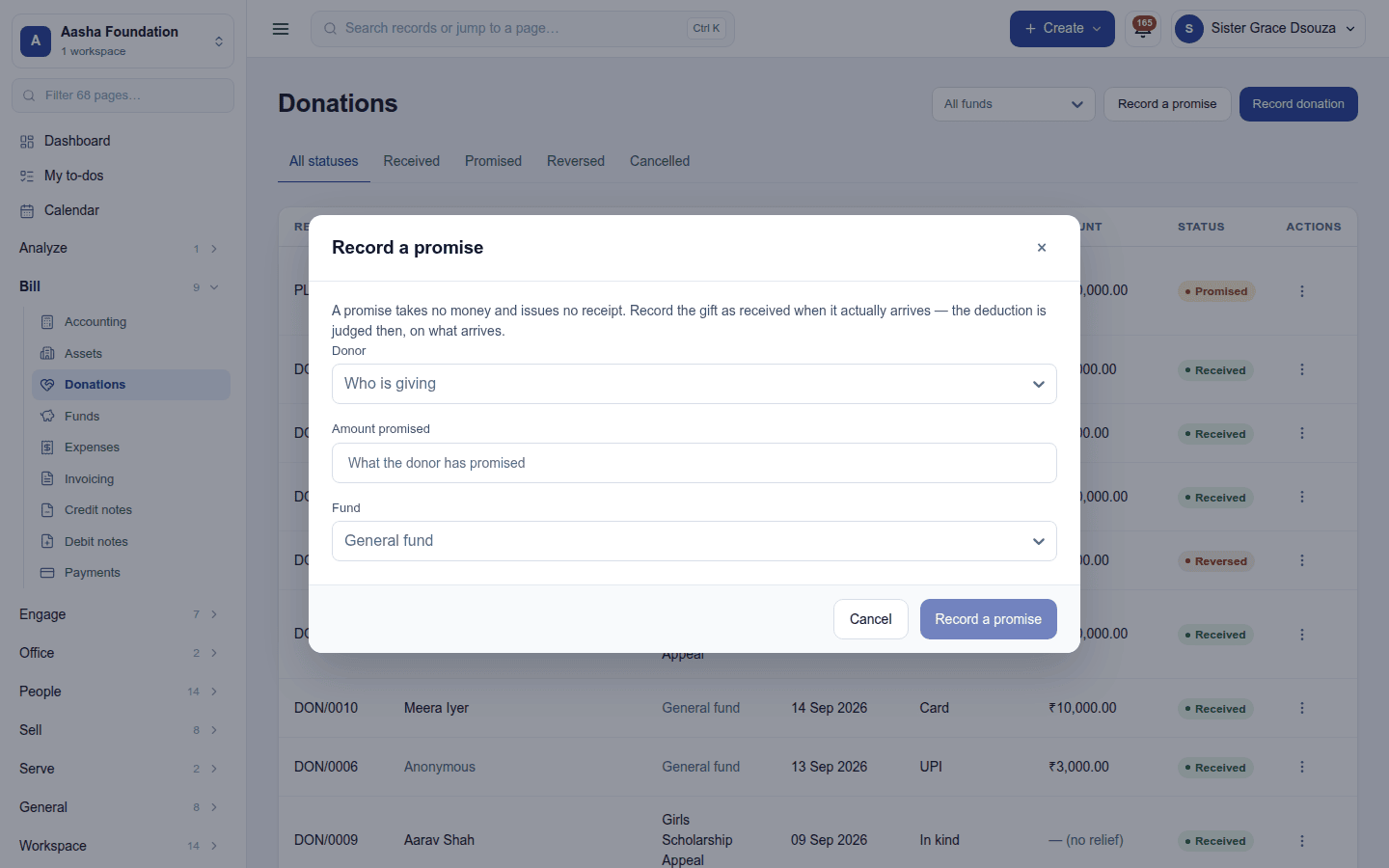
When the money arrives, Receive it from the promise's ⋮ menu: the receipt is issued then, for what actually arrived. A promise that will not be kept is Cancelled and stays on record.
Void reverses a gift that really was received (a mis-keyed amount, a bounced cheque, a refund) and needs Reverse donations. It is never a delete: a credit note is raised against the gift's receipt, the gift stops counting as deductible, and the record stays.
Funds
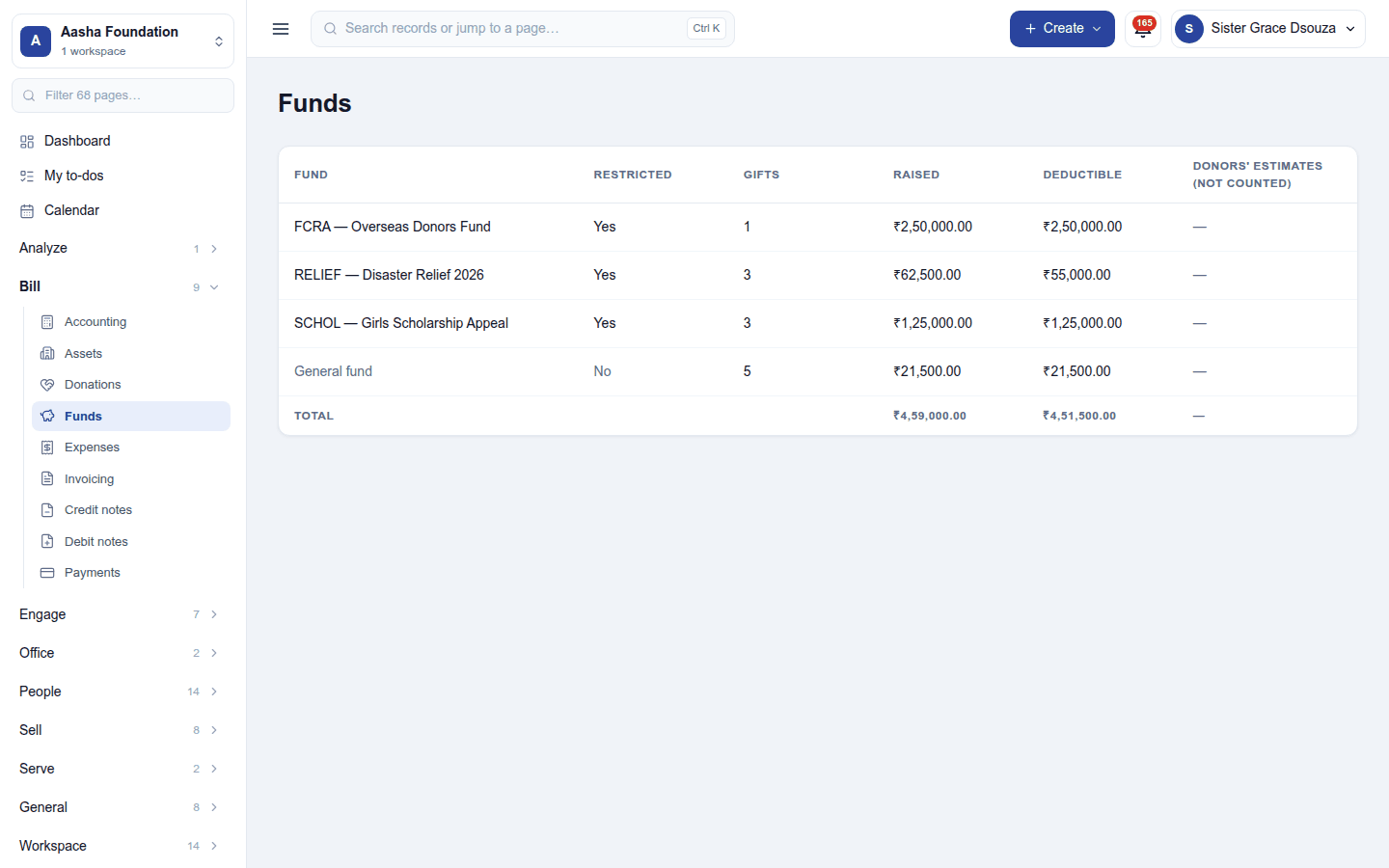
Bill → Funds shows each fund with whether it is restricted (money that may only be spent on its stated purpose), how many gifts it holds, what it raised, what is deductible, and donors' estimates of gifts in kind (not counted as money). A gift with no fund belongs to the General fund. Funds are set up as cost centres (Settings → Funds in the non-profit pack).
Permissions
| Permission | Allows |
|---|---|
View donations (donations.view) |
See gifts, donors, funds and receipts. |
Manage donations (donations.manage) |
Record gifts and promises, receive promises, issue receipts, keep the donation settings. |
Reverse donations (donations.void) |
Reverse a gift whose receipt the donor already holds. |
Ready-made automations
| Name | Kind | What it does | Starts |
|---|---|---|---|
| Remind a donor of their pledge | Rule | Three days before a pledge falls due, emails the donor. The receipt goes out on its own once it is received. | On |
Turning it off
Donations and Funds leave the menu. Gifts, receipts and their postings are kept.
In the desktop and mobile apps
Not carried.