







































Timesheets
Collects each person's working time, day by day, into one sheet per week; logged against projects, tasks, tickets or jobs, with a timer, submitted and approved by someone else, and feeding project costs and billing.
| At a glance | |
|---|---|
| Type | Business module |
| Group | Serve |
| Needs | Nothing. Projects gives time something to be logged against; HR core names each person's approver. |
| Included in | Services & appointments, Trusts & non-profits and others |
| Offered to | Every industry pack |
| Permissions | View timesheets (timesheets.view), Manage timesheets (timesheets.manage), Approve timesheets (timesheets.approve) |
Switching it on
Workspace → Modules → Timesheets → Enable (needs Manage modules). Timesheets appears under Serve, and Settings gains its page.
The weeks
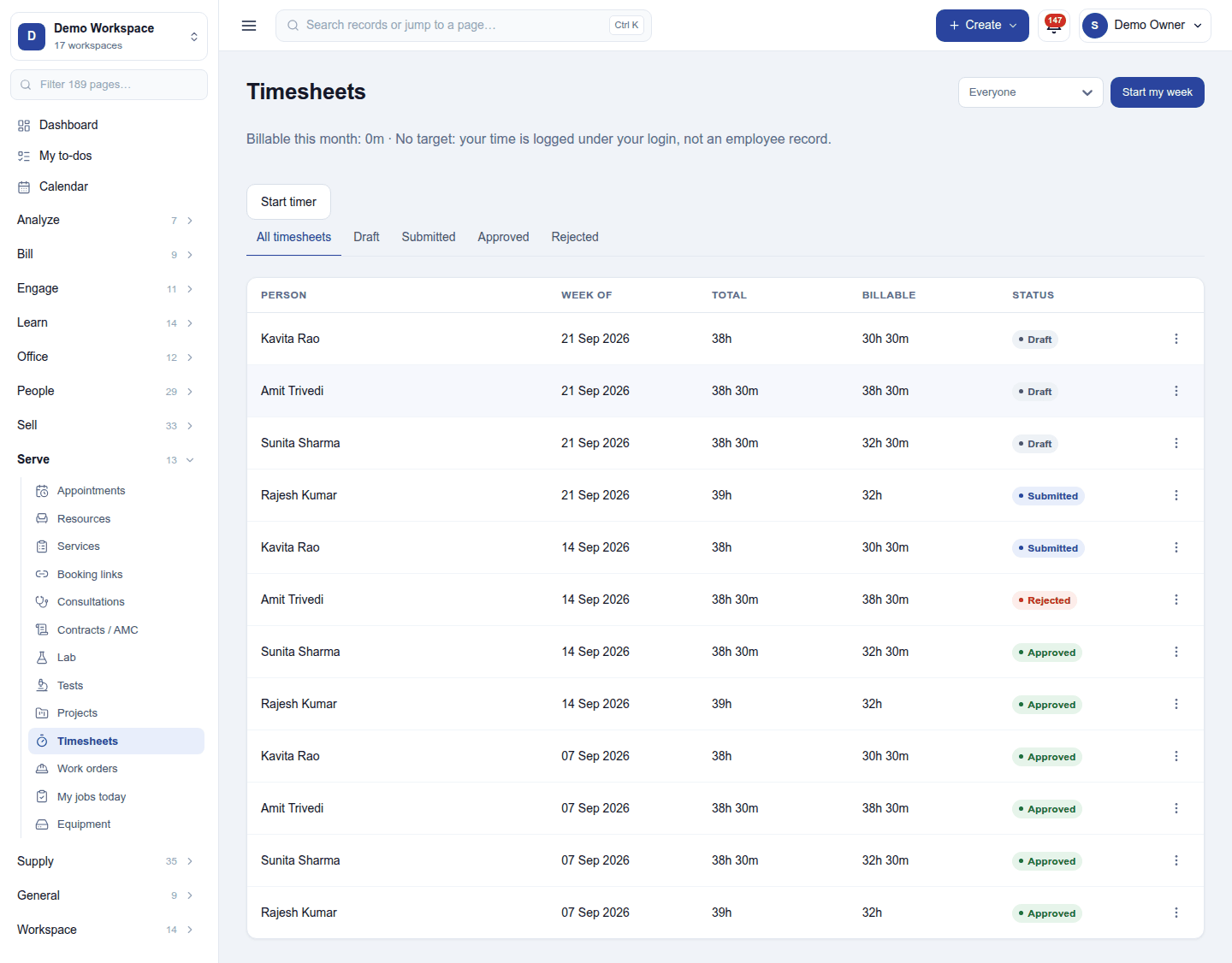
Serve → Timesheets lists one sheet per person per Monday-to-Sunday week, with the total and billable hours and its status. The tabs filter All timesheets / Draft / Submitted / Approved / Rejected, and the header filters by person. Above the list, your billable time this month against your target.
- Start my week opens your sheet for the current week; Start timer times work as it happens (a timer running past midnight splits into one entry a day).
- In a sheet, Log time adds an entry: the day, the hours, the project and task (or a ticket or job), billable or not, and a note. Entries can be merged, and last week copied.
- Submit sends the week for approval.
Approval
A sheet moves Draft → Submitted → Approved. A reviewer with Approve timesheets approves it or sends it back as Rejected with a reason; the person reopens it, fixes it and submits again. Nobody approves their own week. With HR on, each employee can name their own approver. Anyone who could approve a week can put it back to draft (Reset to draft on its ⋮ menu), unless its time has already been invoiced.
Approved billable time is what a project bills, and its cost goes into the project's budget against actual.
Settings
Settings → Timesheets:
- Encoding: the minimum entry, rounding, and whether time is recorded in hours or in days.
- Reminders: who is reminded to fill in or submit their week, and when.
- Leave: Log approved leave on timesheets, so a week with leave adds up (with Attendance & leave on).
Permissions
| Permission | Allows |
|---|---|
View timesheets (timesheets.view) |
See the time logged. |
Manage timesheets (timesheets.manage) |
Log, change and remove time; submit a week; reopen a rejected one. |
Approve timesheets (timesheets.approve) |
Approve weeks or send them back, and reset an approved week. |
Ready-made automations
| Name | Kind | What it does | Starts |
|---|---|---|---|
| Tell people when their timesheet is sent back | Rule | Tells the person whose timesheet was rejected, so they can fix and resubmit it. | On |
Turning it off
Timesheets leaves the menu, and time on jobs and tickets stays on them without reaching a timesheet. Weeks already logged are kept.
In the desktop and mobile apps
Not carried.