







































Meeting links (Zoom)
Creates a Zoom join link for an appointment, an interview or an online event with one click, in the workspace's own Zoom account. A Server-to-Server app does the work, so nobody leaves the platform to sign in to Zoom.
| At a glance | |
|---|---|
| Type | Add-on module |
| Group | Serve |
| Price | ₹199 per month (list price) |
| Provides | Create video meeting links |
| Needs | Nothing (a Zoom account with a Server-to-Server OAuth app) |
| Offered to | Every industry pack |
| Permission | Manage add-ons (addons.manage) |
What it does
Meeting links (Zoom) gives the workspace the Create video meeting links capability. Three screens use it:
| Where | What you see | Needs |
|---|---|---|
| Appointments, the booking dialog | A Create a video meeting link for this booking checkbox. The meeting is made in Zoom first and its join link lands on the booking, shown as Join meeting on the agenda and on the customer portal's My appointments. | Appointments |
| Recruitment, an interview set to video | Create a video link. Without the add-on the box reads No video add-on - Workspace → Modules. | Recruitment |
| Events, an online event's Online event card | Create a Zoom link, made for the event's time. Only people holding a place get it: their ticket, the booking page and attendee messages, never the public event page. An event with several time slots needs a pasted room link instead. | Events |
If Zoom refuses, nothing is saved: the booking or interview is not created, and the dialog shows Zoom's own words.
Switching it on
- Go to Workspace → Modules, filter to Add-on modules. Meeting links (Zoom) is under Serve.
- Open its ⋮ menu and choose Enable.
- Fill in the dialog and press Enable.
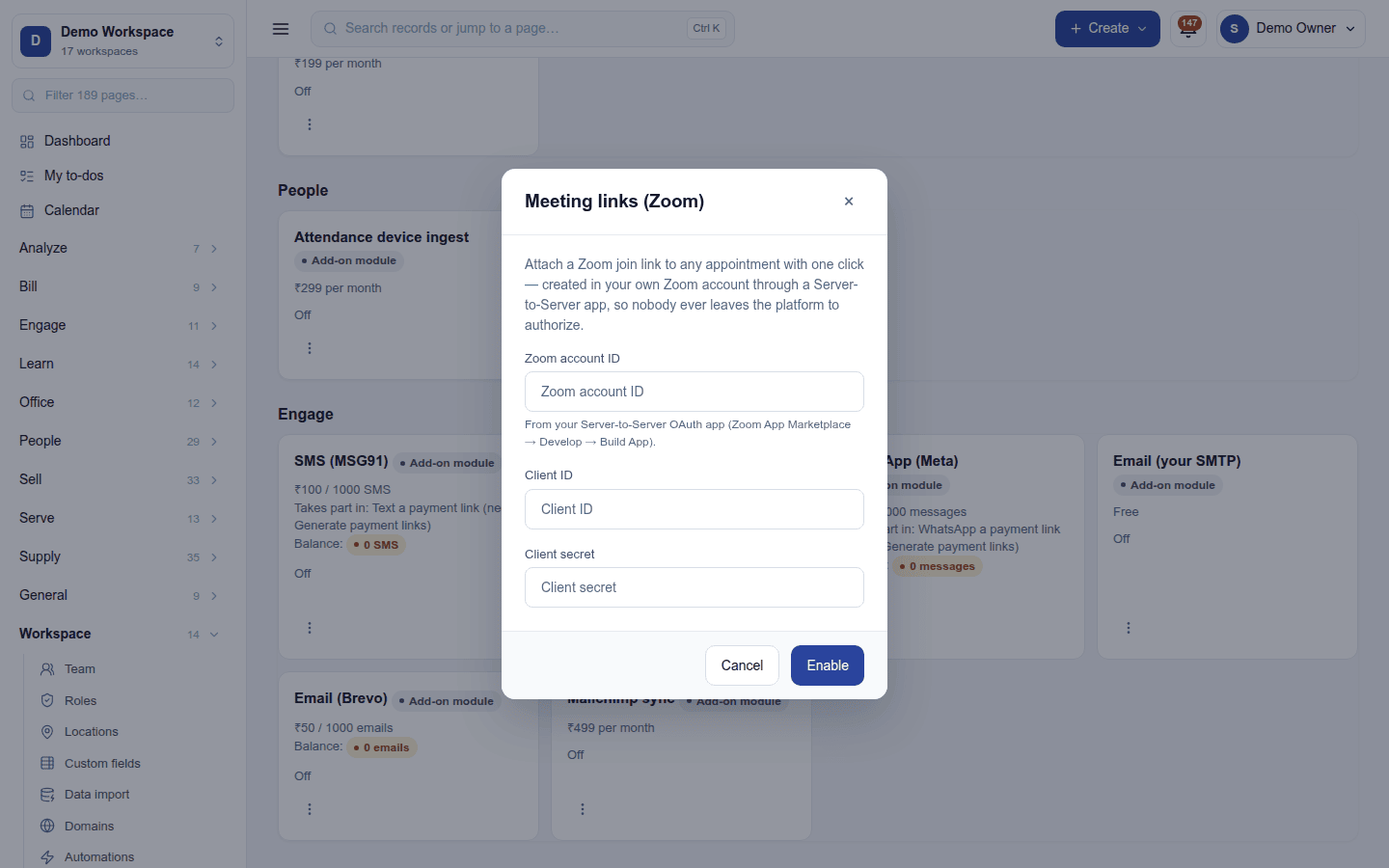
| Field | Required | What to enter |
|---|---|---|
| Zoom account ID | Yes | From your Server-to-Server OAuth app (Zoom App Marketplace → Develop → Build App). |
| Client ID | Yes | From the same app. |
| Client secret | Yes | From the same app. Write-only once saved. |
Turning it off
Turn off on the ⋮ menu asks first. The create a link options disappear. Links already made stay on their bookings, interviews and events. A link can always be pasted by hand without the add-on.
Ready-made automations
None. Meeting links are added to bookings as they are made.
In the desktop and mobile apps
Not carried. None of the apps book appointments, interviews or events.