







































GST returns (GSTR-1)
Downloads the GSTR-1 filing data straight from the workspace's invoices, month by month, as CSV files ready for the GST offline tool or the accountant, plus the GSTR-3B summary.
| At a glance | |
|---|---|
| Type | Add-on module |
| Group | Bill |
| Price | ₹199 per month (list price) |
| Provides | Export GST return data |
| Needs | Invoicing, where the invoices and credit notes are |
| Offered to | Every industry pack |
| Permission | Manage add-ons (addons.manage) to switch on; View invoices to download |
What it does
GST returns is a pure unlock. It has no keys and talks to no outside service: switching it on adds an Exports button to the Invoices screen, over data the workspace already holds. Every file is built from issued invoices, credit and debit notes and, for GSTR-3B, booked vendor bills.
The sections come from the server, so a new section reaches the screen the day it ships:
| Button | What the file holds (the offline tool's sheet) |
|---|---|
| B2B | Invoices to registered customers (b2b) |
| B2C summary | Sales to unregistered customers, summed by rate and place of supply (b2cs) |
| B2C large (5) | Inter-State sales above the Table 5 limit to customers with no GSTIN (b2cl). The limit applies to books kept in rupees. |
| HSN summary, B2B (12) | Table 12, the HSN summary for registered customers (hsn) |
| HSN summary, B2C (12) | Table 12, the HSN summary for unregistered customers (hsn_b2c) |
| Credit and debit notes (9B) | Notes to registered customers (cdnr) |
| Credit and debit notes, unregistered (9B) | Notes to unregistered customers and against exports (cdnur) |
| Nil rated / exempt (Table 8) | Nil-rated, exempt and non-GST supplies (table8) |
| Exports (6A) | Exports, with their port code and shipping bill (exp) |
| GSTR-3B summary | GSTR-3B tables 3.1, 3.2 and 4, from the same invoices and credit notes and from booked vendor bills. Indian workspaces only. |
Rate-wise sheets carry no tax columns, as the offline tool's own have none: the tool works the tax out from the rate and taxable value.
Switching it on
- Go to Workspace → Modules, filter to Add-on modules. GST returns (GSTR-1) is under Bill.
- Open its ⋮ menu and choose Enable. The dialog only describes what it does; press Enable.
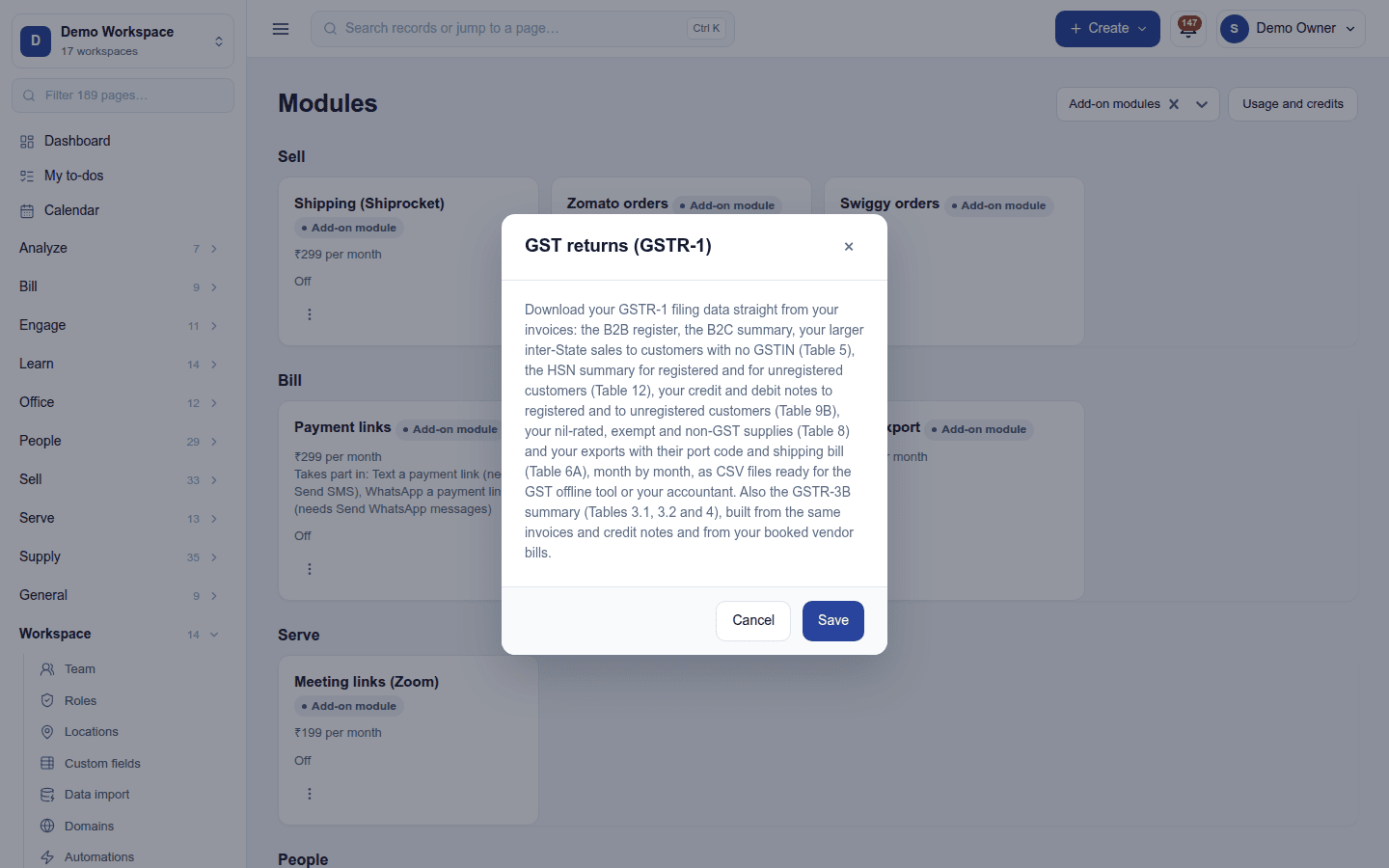
Downloading a return
- Open Bill → Invoicing and press Exports.
- Pick the month (the last twelve are offered; it opens on the latest month of the last completed filing period).
- Press the section to download. Each file is a CSV.
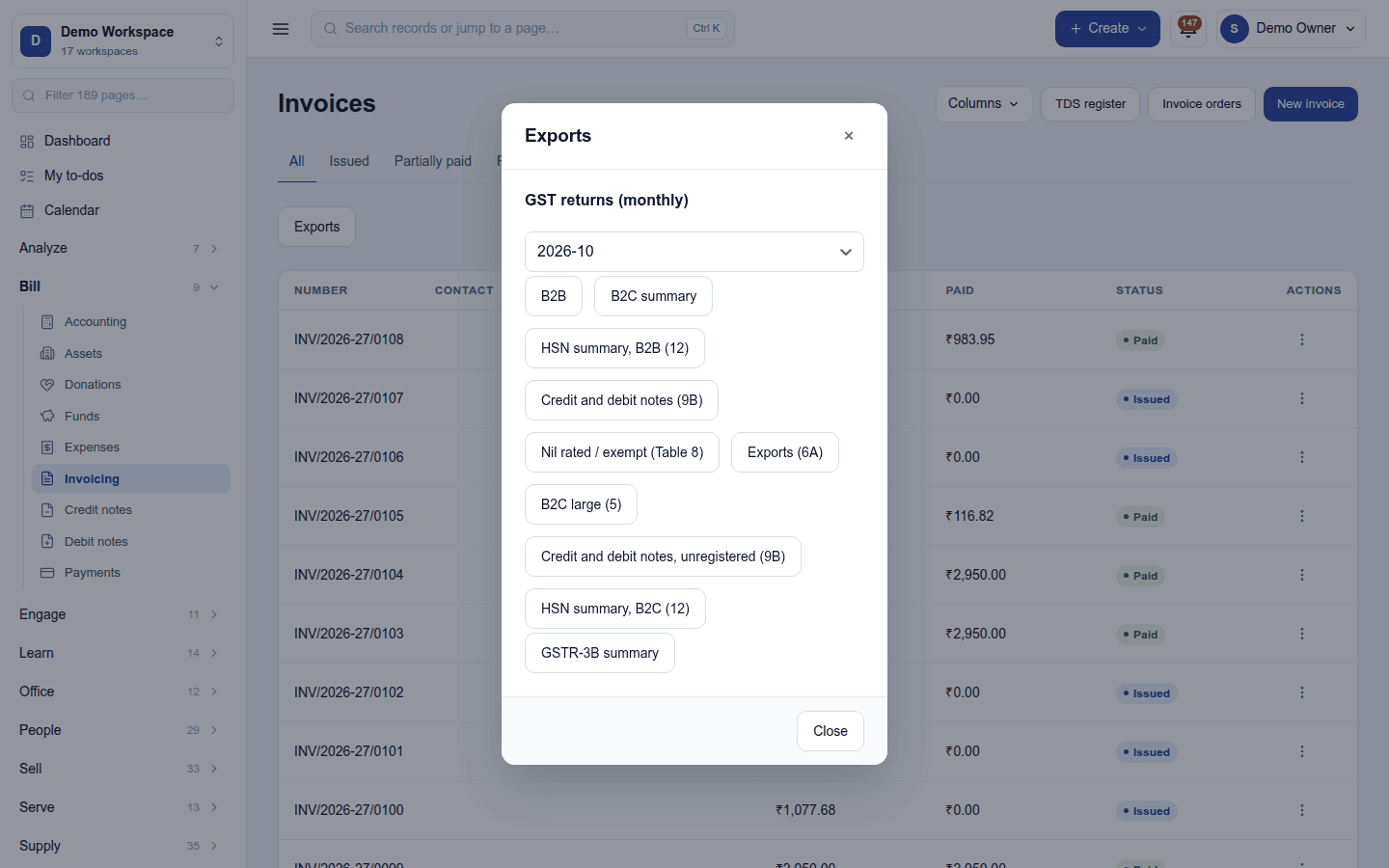
Which month an invoice falls in: the calendar date on the workspace's clock (the time zone under Settings → Business day, else the country's). The business-day start time does not move anything, so an invoice raised at 01:00 on the 1st is in that month.
How often you file is set under Settings → Tax → Tax returns (Monthly, Quarterly or Yearly). The Exports heading follows it: GST returns (quarterly - one file per month of the quarter). The same card sets a reminder a number of days after each period ends.
Food-delivery orders from Zomato and Swiggy are named in the B2C summary and GSTR-3B by the platform's GSTIN stamped on each order.
Turning it off
Turn off on the ⋮ menu asks first. The GST sections leave the Exports dialog (the button itself stays while Tally export is on). Nothing is lost: the files are built from the invoices on demand.
Ready-made automations
None. Return due reminders are built in (Settings → Tax → Tax returns).
In the desktop and mobile apps
Not carried. Returns are downloaded from the web app.