







































Calls
One log of every phone call with a customer: which way it went, how it ended, how long it lasted, what was said and what it was about. A call is placed from your own phone (or through the workspace's own phone provider account), then logged, and can plan a call back.
| At a glance | |
|---|---|
| Type | Business module |
| Group | Engage |
| Needs | Nothing |
| Included in | Clinics, Diagnostic lab, Hotel / guest house, Manufacturing, E-commerce, Repairs & field service, Services & appointments, Schools & colleges, Classes & coaching |
| Offered to | Every industry pack, on plans that include it (Growth and Pro) |
| Permissions | Make calls (telephony.call), View calls (telephony.view), Manage calls (telephony.manage) |
Switching it on
Workspace → Modules → Calls → Enable (needs Manage modules). Calls appears under Engage, every contact's page gains a Calls card, and Settings gains a Calls page.
Placing and logging a call
The Call button on a contact, lead, order, project, work order or ticket is a phone link: it opens the dialler on a mobile or a softphone on a desk. The platform does not place the call. Afterwards, Log call records:
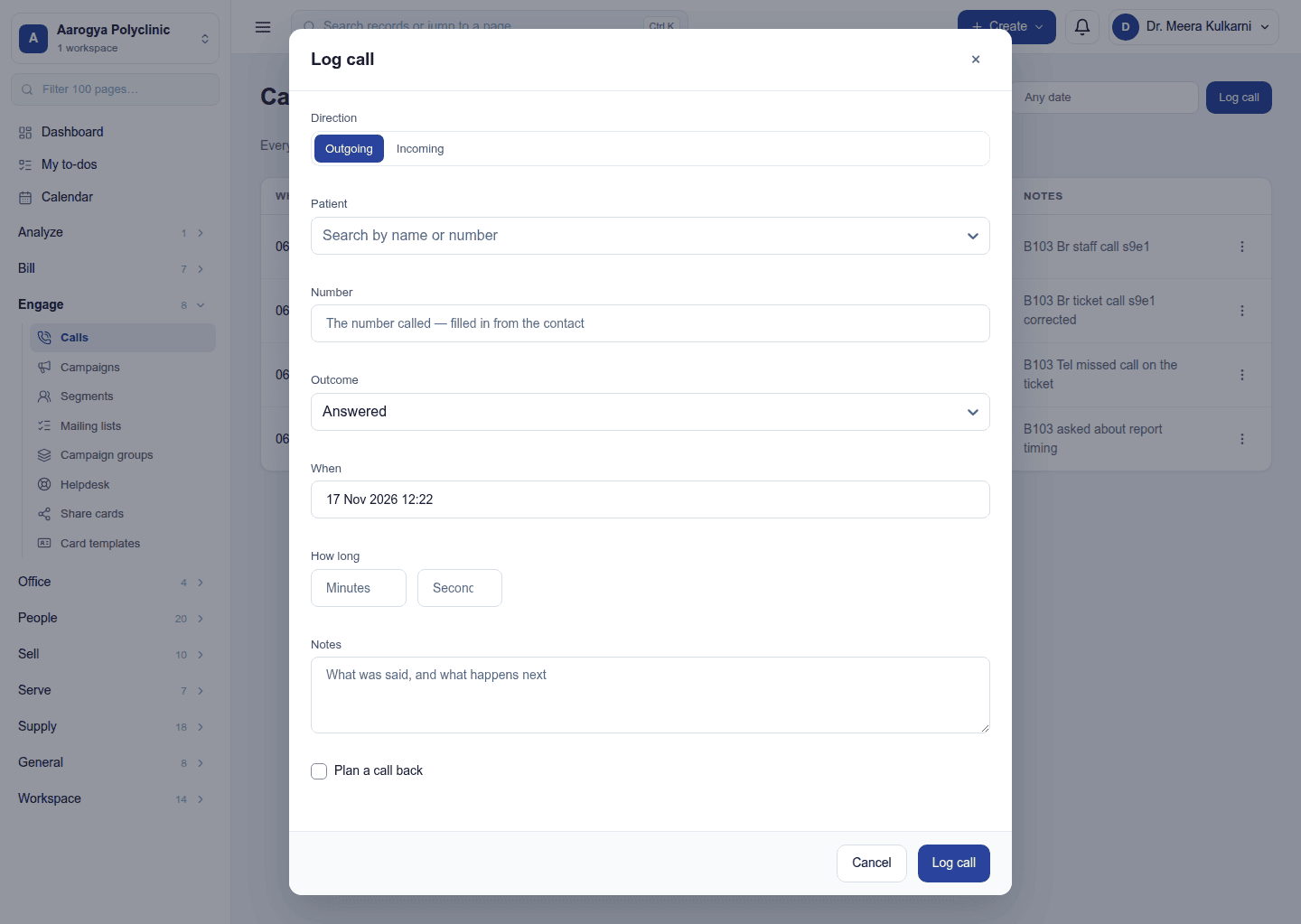
- the direction (in or out), how it ended (answered, no answer, busy, voicemail), and how long it lasted;
- what was said;
- the record it was about (a lead, order, project, work order or ticket).
Plan a call back writes a Call follow-up activity on the record, so the next call is not forgotten. A call is what happened; an activity is what is planned.
The Calls page
Engage → Calls lists calls with when, who, direction, outcome, duration and what it was about; filter by date, outcome and (with View calls) by person. Everyone sees their own calls; View calls sees everyone's. Reports include call volumes and outcomes per person.
Your own phone provider (Exotel)
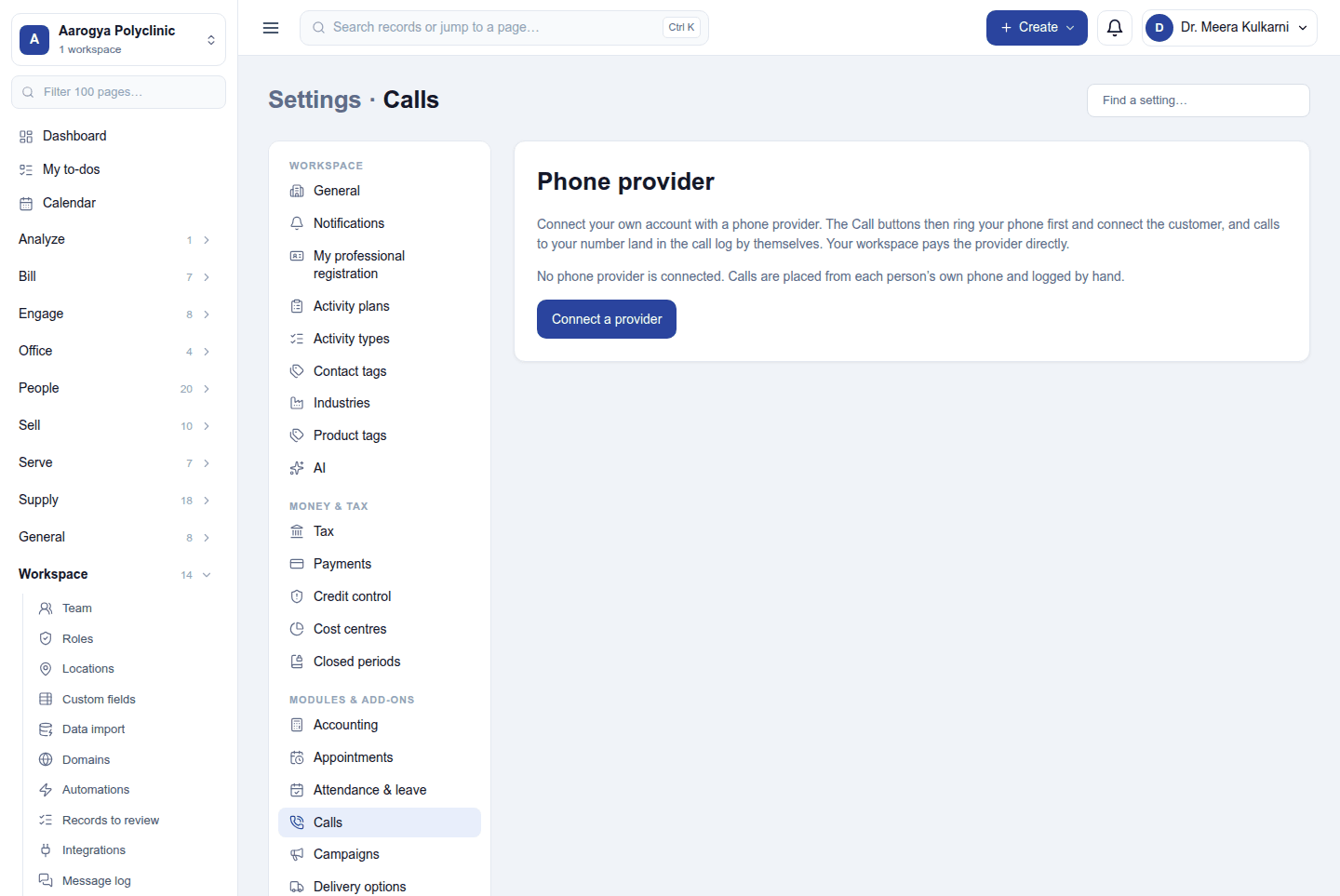
A workspace can connect its own account with a cloud phone provider (Exotel). It signs up with the provider, buys its number and pays the provider directly; nothing is resold here. Settings → Calls → Phone provider → Connect a provider takes the account's details. Once connected, each person sets their calling number (the phone Exotel rings) from the Calls page, Call asks the provider to ring it and connect the customer, and calls are logged by themselves with how they ended and for how long. Recording the calls is off by default.
Permissions
| Permission | Allows |
|---|---|
Make calls (telephony.call) |
Log and correct one's own calls, see them, and place calls through the provider. |
View calls (telephony.view) |
See everyone's calls and the dashboard tile. |
Manage calls (telephony.manage) |
Correct or delete any call, log one for a colleague, connect the phone provider, set colleagues' calling numbers. |
Ready-made automations
| Name | Kind | What it does | Starts |
|---|---|---|---|
| Tell me about missed calls | Rule | Tells the workspace owner about each missed call, so it can be returned. | On |
Turning it off
Calls leaves the menu and the Calls cards disappear. Calls already logged are kept.
In the desktop and mobile apps
Not carried.