







































Marketing automation
Builds journeys: a series of messages and actions that runs by itself for each person who joins (a welcome series, a win-back for customers who went quiet, care after a purchase), with delays, branches and statistics.
| At a glance | |
|---|---|
| Type | Business module |
| Group | Engage |
| Needs | Nothing to switch on; each channel needs its sender, as for Campaigns |
| Included in | Shops & counters, E-commerce, Trusts & non-profits, Gym & coaching |
| Offered to | Every industry pack |
| Permissions | View marketing automation (marketing_automation.view), Manage marketing automation (marketing_automation.manage) |
Switching it on
Workspace → Modules → Marketing automation → Enable (needs Manage modules). Marketing automation appears under Engage.
Journeys
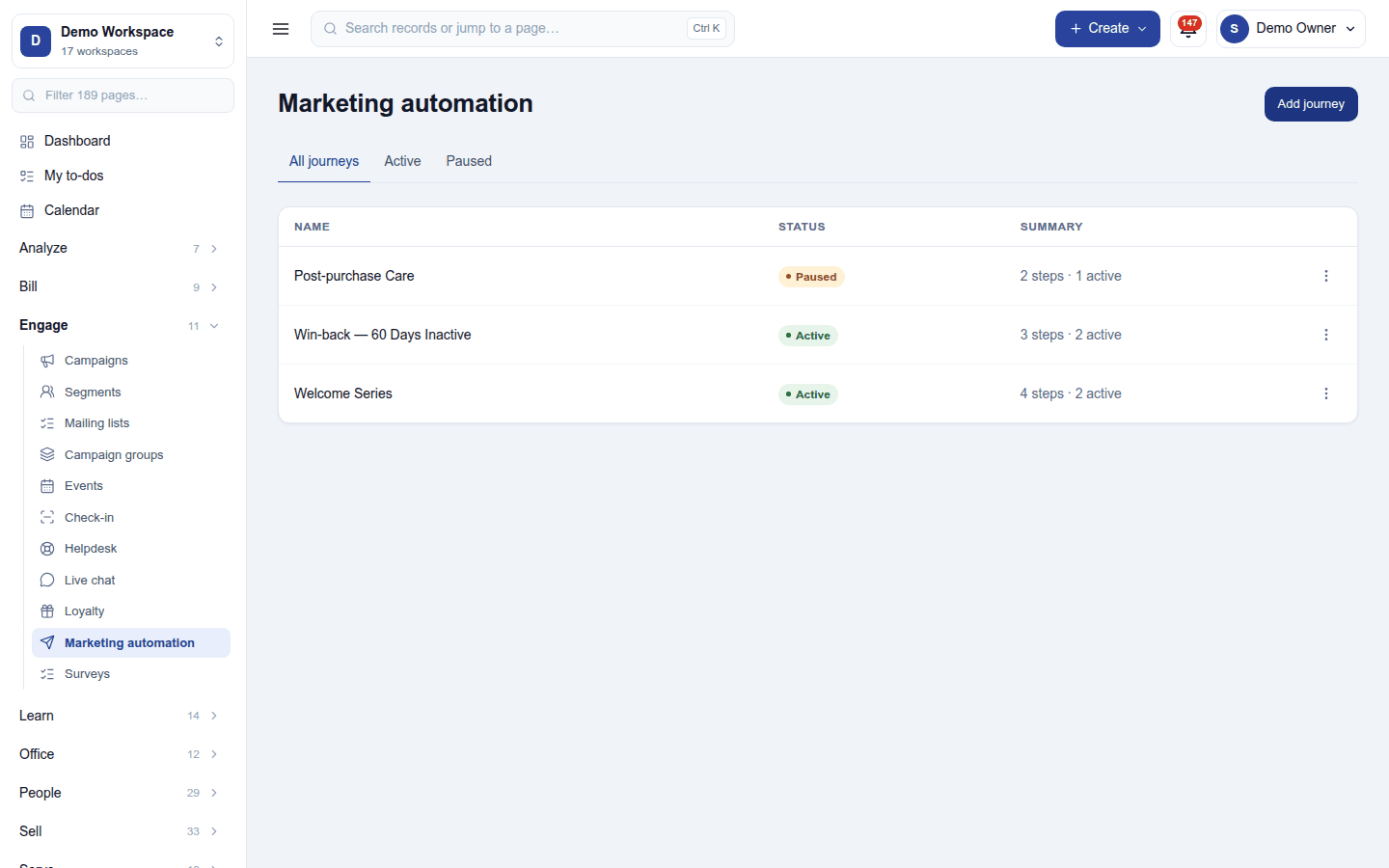
Engage → Marketing automation lists the journeys with their status (Active or Paused) and a summary (3 steps · 2 active). Add journey starts one. Click a journey to open it:
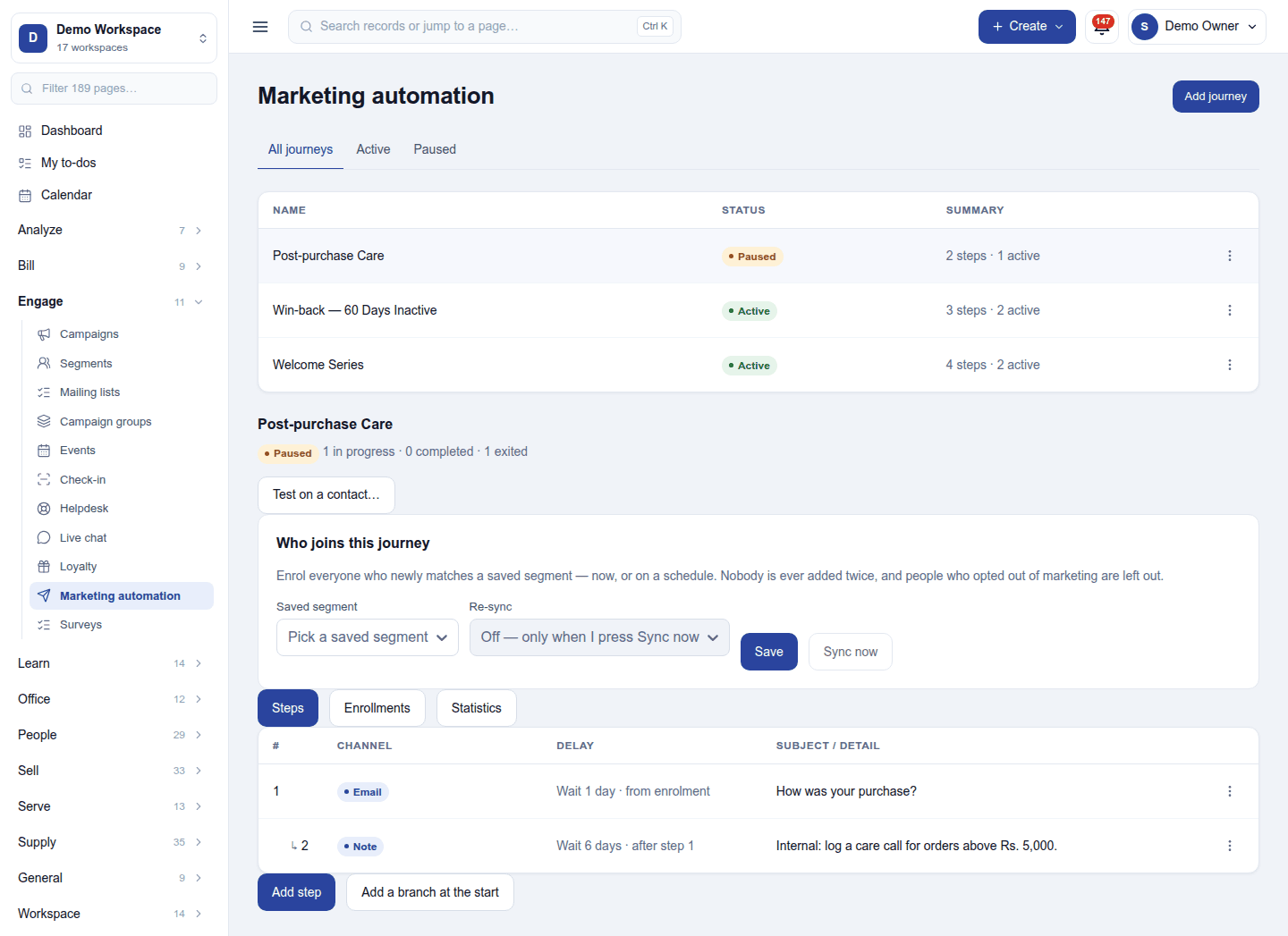
- Who joins this journey: everyone who newly matches a saved segment, now or on a schedule (re-sync), or people added by an automation's Enrol in a journey step. Nobody is ever added twice, and people who opted out of marketing are left out.
- Steps: each step's channel (Email, SMS, WhatsApp template, a note for the team, or an action), its delay (wait 1 day from enrolment, wait 6 days after step 1) and its subject or detail. Add step; Add a branch at the start splits people down one path or another by a condition, each person following one path.
- Enrollments: who is in the journey and where they are.
- Statistics: how many were sent, opened and clicked at each step, and the revenue and leads the journey brought.
Test on a contact… runs the journey for one contact at once, to check it before it goes live. Pause stops a journey without losing anyone's place.
Permissions
| Permission | Allows |
|---|---|
View marketing automation (marketing_automation.view) |
See journeys and how people moved through them. |
Manage marketing automation (marketing_automation.manage) |
Build, start, test and stop journeys. |
Ready-made automations
None. Journeys are the automation.
Turning it off
The screen leaves the menu and journeys stop. Journeys and enrolments are kept.
In the desktop and mobile apps
Not carried.
Related guides
- Campaigns, Automations
- Module guides index